
TLDR overview
- SonarQube Server 2026.5 LTA adds new, agentic capabilities: Sonar Vortex, SonarQube Remediation Agent, and SonarQube Hunter Agent, which can be installed on Azure Kubernetes Service (AKS).
- Consult this blueprint for self-managed SonarQube Server Enterprise Edition on AKS, where the agent workloads, their LLM traffic, and their storage stay inside your own Azure subscription, private network, and egress allowlist.
- SonarQube Server does not run the agentic capabilities in-process, so an AKS deployment has to account for the Agent Orchestrator, both agent runtimes, and Vortex analysis as separate, isolated workloads behind a single HTTPS endpoint.
- Terraform provisions a private VNet, AKS with dedicated node pools, private PostgreSQL and Azure Blob storage, an Application Gateway with an automatically issued TLS certificate and DNS record, then installs the SonarQube Helm chart with the agentic components enabled.
SonarQube Server 2026.5 LTA is the long-term active release of the self-managed SonarQube code quality and security platform, and carries new, agentic capabilities: Sonar Vortex, SonarQube Remediation Agent, and SonarQube Hunter Agent. These capabilities run as separate containers deployed alongside SonarQube Server, which is why they need their own compute, storage, network isolation, and egress controls. This blueprint deploys all of it on Azure Kubernetes Service (AKS) with production-grade networking: a private VNet, private database and storage endpoints, Application Gateway with HTTPS, a Let's Encrypt certificate, and an Azure DNS record. It then covers licensing, settings encryption, and enablement of the agentic capabilities. To follow along with this blueprint, simply clone the sample Terraform templates.
When to use this
You want code verification at scale, without the unnecessary complexity of traditional deployment methods. Use this blueprint when you want SonarQube Server Enterprise Edition on AKS as a production service: reachable over HTTPS on your own domain, with no public database or storage endpoint, and repeatable through Terraform for upgrades and rebuilds. With Vortex enabled, you can now guide your AI agents with project-aware context and constraints, verify the quality of the code they produce, and solve the issues that they generate before the code hits your repository. With Hunter Agent and Remediation Agent enabled, you can also catch logic-level vulnerabilities in your code (that pattern-based scanning is not designed to find), and easily and automatically tackle technical debt in your issues backlog, respectively.
What you'll achieve
- By default: SonarQube Server Enterprise Edition at
https://<host_name>.<domain_name>, behind Application Gateway with a trusted certificate, backed by private, zone-redundant PostgreSQL. - If entitled: Vortex, the Agent Orchestrator, Hunter Agent, and Remediation Agent on a dedicated, tainted node pool, with runtime egress limited to a domain allowlist and enforced by NetworkPolicy.
Architecture
Application Gateway terminates TLS and forwards traffic to SonarQube Server through an internal load balancer configured with a static private address. If the deploying identity cannot create the role assignments needed for that pattern, the gateway-restricted option uses a public load-balancer IP configured to accept inbound traffic only from Application Gateway. SonarQube Server is the only workload exposed through the ingress path: the agentic API is served by Server, while the Agent Orchestrator, Vortex, egress proxy, and agent runtimes remain cluster-internal. PostgreSQL and Blob storage are deployed without public endpoints and are resolved through private DNS zones linked to the VNet.
SonarQube Server delegates agentic work to the Agent Orchestrator. The Orchestrator coordinates agent executions and their results. Vortex is a long-lived service that restores CI-collected analyzer context and provides agentic context and analysis capabilities; projects must have a prior CI analysis before Vortex can use that stored context. Hunter Agent and Remediation Agent run as long-lived workloads. In this chart configuration, Hunter Agent has no chart-wired route to SonarQube Server, while Remediation Agent has access only to its required restricted Server endpoints.
The agentic workloads are scheduled onto a dedicated, tainted node pool, keeping them separate from SonarQube Server workloads. Runtime egress is routed through the chart’s egress proxy, which applies the configured domain allowlist. When Cilium is enabled and the chart NetworkPolicies are successfully applied, those policies prevent a runtime from bypassing the proxy.
Prerequisites
- Enterprise Edition licensing plus entitlement for each agentic capability that you enable.
- SonarQube Server must be using the new license management and not Server ID based licensing.
- An LLM endpoint, credential, and provider-recognized model identifiers that meet the released requirements for each feature.
- A configured DevOps integration, project-bound, with the repository permissions Remediation Agent needs to push a branch and open a pull request.
- An existing Azure DNS zone for your domain, delegated from your registrar.
- No Azure Policy that disables shared key access on storage accounts. The agentic storage library authenticates to Azure Blob by connection string.
- Terraform and Azure CLI installed and authenticated.
Step 1 — Clone the templates
git clone https://github.com/sonar-samples/sample-sonarqube-server-2026-5-azure-aks-terraform-templates.git
cd sample-sonarqube-server-2026-5-azure-aks-terraform-templates
cp terraform.tfvars.json.example terraform.tfvars.json
All environment-specific configuration resides in terraform.tfvars.json.
Note: this blueprint deploys agent runtimes with the standard, supported Kubernetes configuration. It does not configure alternative runtime sandboxing technologies. Organizations with platform-mandated workload-isolation controls should validate those controls independently against their AKS environment and the released SonarQube chart. Kata is supported, through the chart's agentRuntimeSandbox block, which this module leaves at its chart default (disabled). Organizations that need the runtimes sandboxed can add it in sonarqube.tf alongside the existing gvisor = { enabled = false }:
agentic = {
    ...
    gvisor = { enabled = false }          # keep: the chart defaults it to true

    agentRuntimeSandbox = {
      enabled          = true
      runtimeClassName = "kata-vm-isolation"
    }
    ...
  }
Use the RuntimeClass that exists in the target cluster (e.g. kata-vm-isolation) and confirm with kubectl get runtimeclass as the name has changed across AKS versions. Inspect any scheduling.nodeSelector included by the RuntimeClass and ensure it does not conflict with the runtime workload selectors.
Step 2 — Configure deployment inputs
Set an exact published chart version rather than a floating 2026.5 selector.
{
    "subscription_id": "00000000-0000-0000-0000-000000000000",
    "location": "westeurope",
    "resource_group_name": "sonarqube-2026-5",
    "cluster_name": "sonarqube-aks",
    "postgres_name": "sonarqube-pg-unique-name",
    "domain_name": "example.com",
    "dns_resource_group_name": "dns-zones",
    "host_name": "sonarqube",
    "acme_email": "platform-team@example.com",
    "sonarqube_chart_version": "<exact-published-2026.5-chart-version>",
    "enable_agentic": true,
    "runtime_replica_count": 1,
    "storage_backend": "azureblob",
    "storage_account_name": "uniquesqagentic01",
    "llm_allowed_domains": ["<provider-hostname>"],
    "enable_settings_encryption": false,
    "tags": { "Team": "platform", "Owner": "you@example.com" }
  }
Important inputs:
sonarqube_chart_version: exact published version from the official Helm repository,2026.5.1000or later.domain_name,dns_resource_group_name,host_name: SonarQube Server is served athttps://<host_name>.<domain_name>.acme_server_url(optional): sethttps://acme-staging-v02.api.letsencrypt.org/directoryfor trial runs to avoid Let's Encrypt rate limits, then remove it for the production apply.sonarqube_exposure(optional):internal(default) puts SonarQube Server on an internal load balancer and grants the cluster identity Network Contributor on the VNet, which requires permission to create role assignments.gateway-restrictedneeds no role assignment: the Server gets a public IP in the AKS node resource group that accepts connections only from the Application Gateway's public IP.create_resource_group(optional):trueby default. Setfalseto deploy into an existing resource group namedresource_group_name, for example one your platform team provisions.vnet_cidrand the subnet CIDRs (optional): defaults use10.0.0.0/16. Change them if that range overlaps a network you peer with.runtime_replica_count: Each replica processes one job at a time, so this value determines per-runtime concurrency. Keep the value at1for the initial deployment and increase it only after validating workload demand, resource usage, and agent throughput.llm_allowed_domains: every runtime destination, including LLM, identity/token, and DevOps endpoints. The Blob storage host is added automatically.agentic_images(optional): Leave the image overrides empty to use the approved chart defaults. Specify immutable, approved overrides only when mirroring images into a private registry. The released 2026.5.1000 chart defines defaults for Vortex, Agent Orchestrator, Hunter Agent, and Remediation Agent.
Step 3 — Deploy
terraform init
terraform plan
terraform apply
When the apply completes, inspect the release before configuring capabilities:
$(terraform output -raw get_credentials_command)
helm status sonarqube -n sonarqube
kubectl get secrets -n sonarqube | grep agentic-keys
kubectl get pods -n sonarqube -o wide
kubectl get pods -n sonarqube \
  -o custom-columns='POD:.metadata.name,IMAGE:.spec.containers[0].image'
Confirm that five derived signing-key secrets exist (-agentic-keys-hunter, -orchestrator, -remediation, -sqs, and -vortex), every image matches the approved release manifest, and the NODE column places SonarQube Server on a sonarqube node and every agentic pod on an agentic node. The key-derivation hook Job is deleted once it succeeds, so the secrets, not the Job, show that it ran. If they are missing, check kubectl get events -n sonarqube for the hook's failure and resolve it before debugging agent startup.
Upgrading an existing instance
SonarQube Server restarts into DB_MIGRATION_NEEDED after an upgrade, and Vortex stays unready until the migration completes, which blocks a one-shot Helm upgrade. Back up PostgreSQL, schedule a maintenance window, follow the release-specific upgrade notes, and sequence the upgrade:
- Set the new
sonarqube_chart_versionandagentic_pausedtotrue, then apply. This removes the agentic components from the Helm release and keeps their node pool, storage, and data. - Complete the database migration at
https://<host_name>.<domain_name>/setup. - Confirm Server status is
UP. - Set
agentic_pausedtofalseand apply again.
Do not set enable_agentic=false and apply Terraform merely to pause agentic workloads. Doing so removes the agentic Helm configuration and, when Pod Sandboxing is enabled, deletes the sandbox node pool. If the module manages the agentic storage containers or shares, Terraform may also delete them, permanently removing Vortex analyzer context and agent job artifacts. It does not inherently delete SonarQube’s PostgreSQL history or an externally managed storage account. Run terraform plan and back up or retain the agentic storage before applying.
Step 4 — Verify HTTPS and egress isolation
Check the endpoint. Expect "status":"UP", then 301 to the HTTPS URL, then the certificate expiry date:
SONAR_URL=$(terraform output -raw sonarqube_url)
curl -s "$SONAR_URL/api/system/status"; echo
curl -s -o /dev/null -w "%{http_code} %{redirect_url}\n" "http://${SONAR_URL#https://}/"
terraform output certificate_not_after
With gateway-restricted exposure, the Server's own IP must refuse you. This request must time out:
curl -sS -o /dev/null --connect-timeout 8 "http://$(terraform output -raw sonarqube_backend_ip):9000"Point CI scanners at $SONAR_URL, analyze your largest project, and search the scanner log for 413. The scanner treats a rejected analyzer-context upload as non-fatal, so Vortex silently loses context. Standard_v2 enforces no body limit; on WAF_v2, raise max_request_body_size_in_kb and file_upload_limit_in_mb.
Before you register LLM credentials, confirm that each agent runtime reaches its allowlisted hosts only through the egress proxy. The direct check targets the IP the proxy resolved, because the runtime NetworkPolicy allows no DNS and a request by name would fail for the wrong reason.
Step 5 — Activate licensing and settings encryption
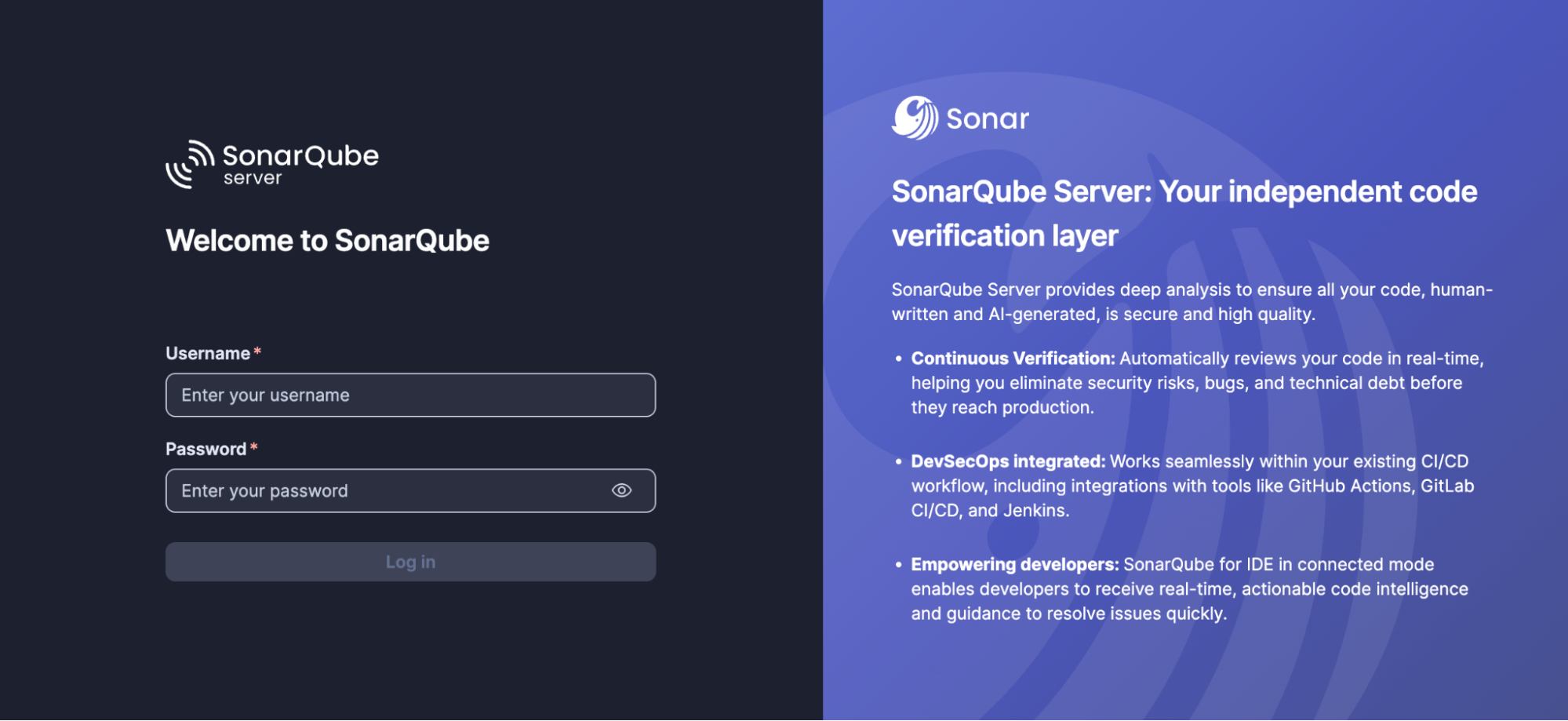
Navigate to the URL from the sonarqube_url output. For a first-time login, use the default credentials (Username: admin, Password: admin).
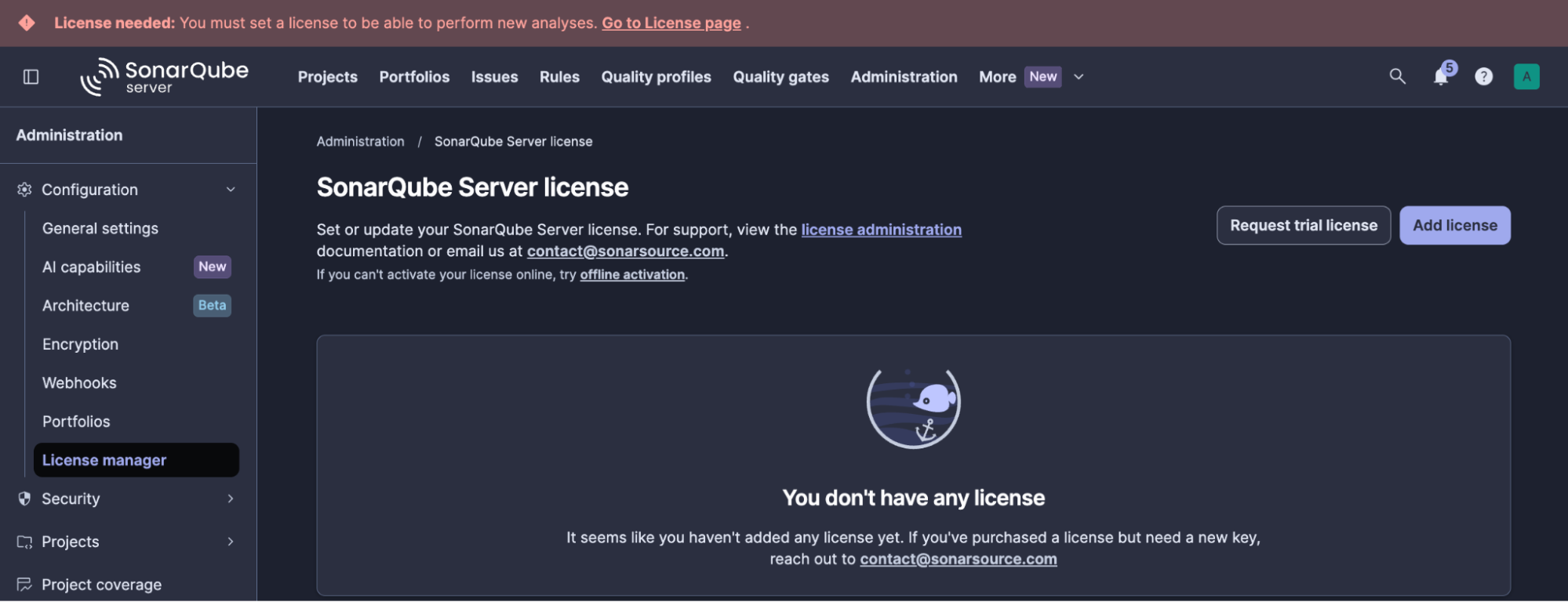
Apply your Enterprise license under Administration → Configuration → License manager, and change the admin password when prompted.
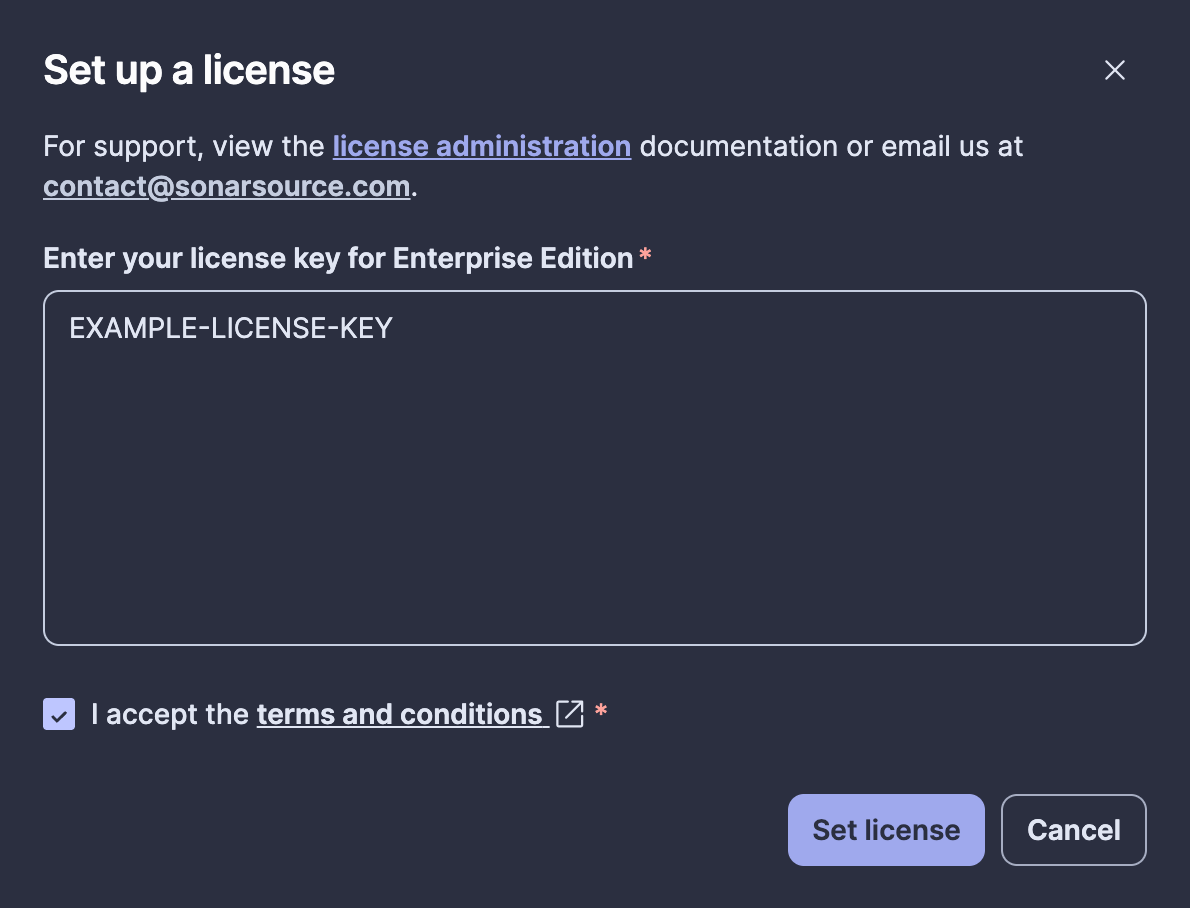
Verify entitlement for each agentic capability you intend to enable. License activation alone does not demonstrate entitlement.
Generate a key under Administration → Configuration → Encryption, then click Generate Secret Key. Copy the generated value and save it securely as sonar-secret.txt.
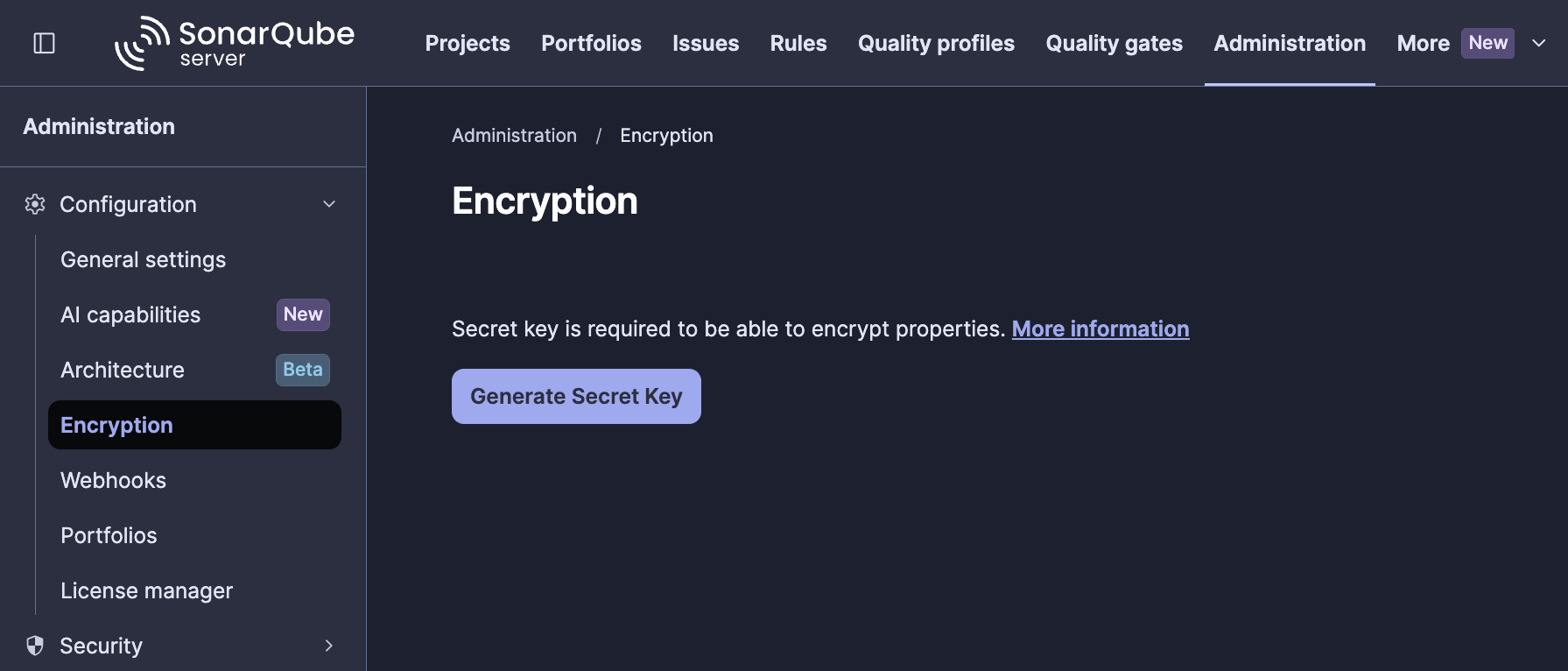
Now create the Kubernetes Secret in the SonarQube namespace:
kubectl create secret generic sonarqube-encryption-secret \
  --namespace sonarqube \
  --from-file=sonar-secret.txt=./sonar-secret.txt
Then set enable_settings_encryption=true and re-apply Terraform so the Helm release references and mounts the secret.
Step 6 — Register an LLM provider and enable the agentic capabilities
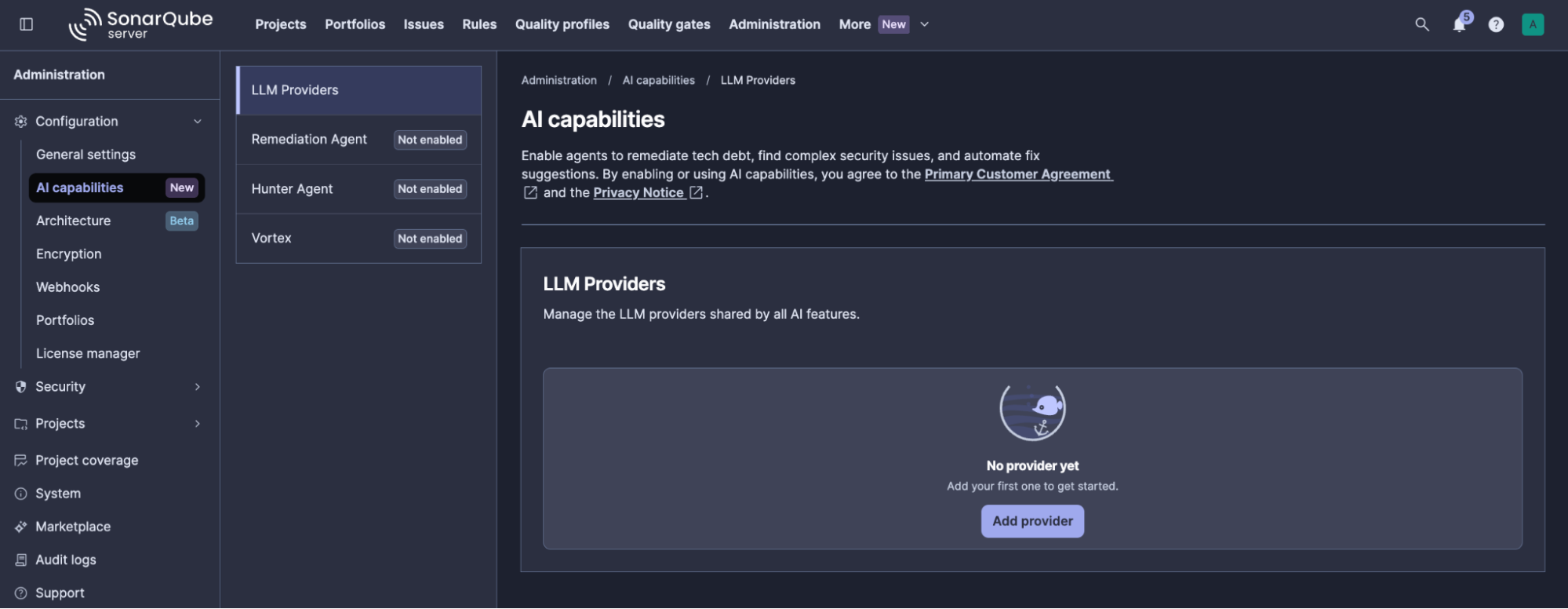
To activate and configure the agentic capabilities, consult this guide or the video tutorial below to register an LLM provider and enable Vortex, Remediation Agent, and Hunter Agent for your instance.
Teardown
terraform destroyThis destroys the Terraform-managed resources in the current state, including the AKS cluster and node pools, PostgreSQL, the agentic storage account and its data, Application Gateway, the VNet, and the DNS record. The Azure DNS zone (and, when create_resource_group=false, the resource group) remain because the templates do not manage them.
Back up the database and any data you must retain before proceeding. After teardown, rotate or revoke LLM-provider and DevOps credentials issued for this deployment. The deployment’s PostgreSQL and Terraform-managed agentic storage contain retained analysis, analyzer context, and job-artifact data.
If AKS was deleted outside Terraform, Terraform may be unable to initialize the Kubernetes and Helm providers to remove in-cluster resources. Back up the state, then remove only those already-gone resources from state before destroying the remaining Azure resources:
terraform state pull > terraform-state-before-recovery.json
terraform state list

# Remove the listed helm_release.* and kubernetes_* addresses
# only after confirming that the AKS cluster no longer exists.
terraform state rm <resource-address> [<resource-address>...]

terraform destroy
What to know
- Certificate renewal is Terraform-managed; there is no continuously running renewal controller. Run
terraform applyfrom a scheduled pipeline at least every two weeks, and alert oncertificate_not_after. Confirm renewal in the pipeline output. - Do not add the CIDR containing this deployment’s Azure Blob private endpoint to
agentEgressProxy.networkPolicy.egressExcludeCidrs. The runtime workloads use the egress proxy to reach Blob storage. Keep the link-local metadata range excluded, and exclude additional private ranges only when no required destination uses them. The chart specifically cautions against excluding RFC1918 ranges when an allowed destination is private. - Do not set
enable_agentic=falsemerely to pause agentic workloads. In this module, that removes the agentic Helm configuration and may plan removal of agentic storage and its retained context and job-artifact data. Use an explicitly implemented and tested pause mechanism (such as scaling the relevant workloads to zero). The module conditionally renders both agentic and storage configuration. - This template does not support an in-place region move. Deploy a separate environment in the target region, migrate and validate the required data, cut over DNS and CI traffic, then destroy the old environment only after successful cutover.
terraform destroydeletes Terraform-managed resources and can remove PostgreSQL plus Terraform-managed agentic storage and retained analysis, context, and job-artifact data. Back up what must be retained first, then rotate or revoke LLM-provider and DevOps credentials issued for the deployment.
Further reading
- Refer to the SonarQube Server installation documentation for comprehensive guidance on deployment of the agentic components, shared storage, and the full configuration property list.
- Consult the following guides covering each agentic capability:
- Sonar Vortex:
- SonarQube Remediation Agent:
- SonarQube Hunter Agent: