
TLDR overview
- SonarQube Server automatically generates an interactive architecture map from your source code at every analysis, depicting your project’s current architecture with no additional setup.
- Users can select which components to manage and define an intended architecture: a visual representation of permitted relationships between them, where any relationships not explicitly allowed are forbidden.
- On the next analysis, SonarQube Server compares your project’s current architecture against the intended architecture and reports every difference as a deviation, surfaced as a code-level issue pointing to the exact fix.
- Along the way, the analysis flags structural flaws and smells such as tangles, oversized components, and split responsibilities, so that you can further mitigate architectural erosion.
The architecture management capability in SonarQube Server analyzes the current architecture of your project and displays it to you as an interactive map. From there you can define your intended architecture: the set of relationships you actually want between components. SonarQube compares the current and intended architectures and reports the differences as code-level maintainability issues that can count towards your quality gate’s maintainability rating.
In the agentic era, our projects are growing faster than ever—their development aided by AI coding agents that may lack the proper architectural awareness needed to implement maintainable changes. Agents sometimes write functionally correct code that silently violates architectural boundaries they can't see. As projects grow, dependencies accumulate unchecked, cycles form between components, and each change works to subtly erode the original architecture. With the release of SonarQube Server 2026.4, architecture management is available on our self-hosted platform. You can now make architecture management a mechanism of maintainability and enforcement, and thereby detect and prevent architectural erosion across your projects.
Architecture management is built atop three concepts:
- Current architecture — reverse-engineered from your source code at every analysis, it depicts your project’s actual component hierarchy and relationships.
- Intended architecture — an allow-list of relationships that you define; for components added to the intended design, everything you don't explicitly allow is forbidden.
- Deviations — the difference between the current and intended architectures, surfaced as code-level SonarQube issues that point devs toward a fix.
This guide delves into all three concepts with the AWS CLI project, a large Python codebase. To follow along, fork the repo or clone it locally, and run an initial analysis of it on SonarQube Server. After the first analysis, you'll be able to read its current architecture map, define an intended architecture, surface real deviations, and interpret the flaws and smells the initial analysis identified. To follow along, you need a Developer, Enterprise, or Data Center edition of SonarQube Server and Administer Architecture permission on the project itself (project administrators have it by default).
1. Exploring the current architecture
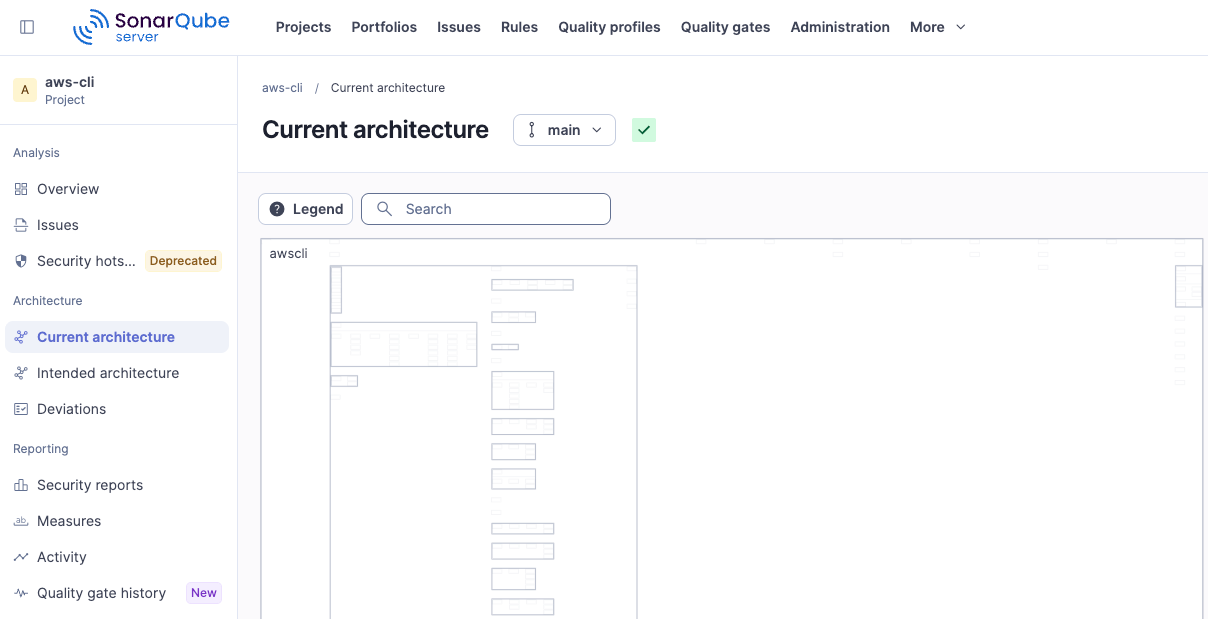
Open your project in SonarQube and navigate to Architecture → Current architecture. SonarQube builds this map from the dependency graph it extracts during analysis, and it refreshes on every scan with no extra configuration.
Reading the architecture map
The map is a visual representation of your project’s actual component structure and relationships. Two principles guide its design:
- Containment reflects structure — Your smallest code units, the classes and functions, sit inside the modules (the
.pyfiles) that hold them; those modules sit inside packages such ascustomizations/; and those packages sit inside the top-levelawsclipackage. Python says modules and packages where another language might say files and namespaces, but the hierarchy on the map functions the same way. A container's size roughly reflects the amount of code it holds, which is whycustomizations, with its 188 modules, dominates the view while a leaf liketext.pybarely registers. - Layout is driven by relationships — Containers are arranged in a levelized layout that reads from left to right:
- Items on the far right have no outgoing relationships and tend to be foundational utilities.
- Each container depends on at least one container in the column to its right.
- Containers in the same column have no relationships with each other.
- Dependencies generally flow from left to right.
Navigating the map
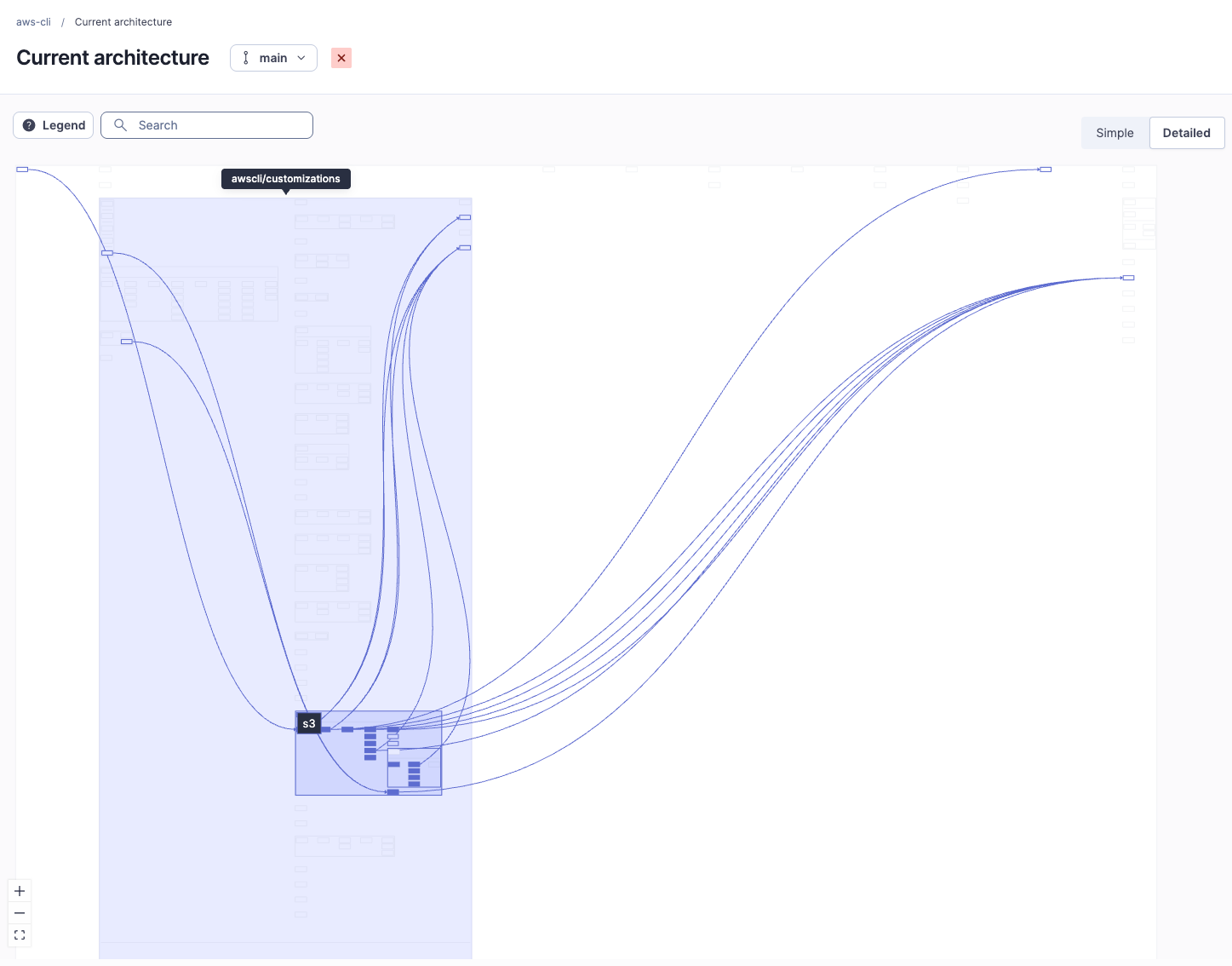
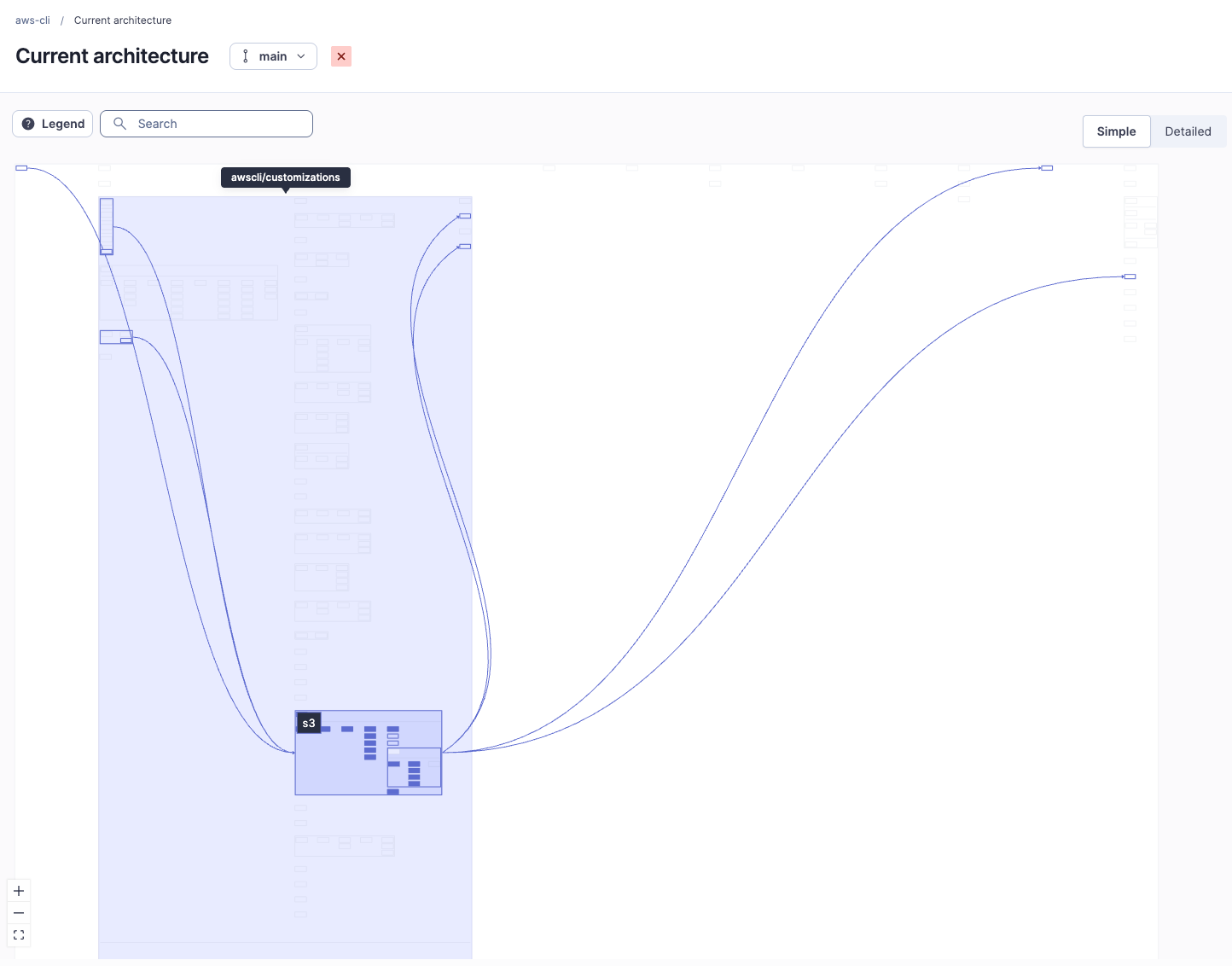
Zoom in to expand a container and inspect its children, and zoom out to understand the map at a higher level. Click any container to reveal its direct relationships, a quick and easy way to reveal dependencies. When the arrows become too noisy in the Detailed view, switch to the Simple view to collapse them and focus on the high-level structure and relationships between the top level components. Pan to reach anything off screen or use the Search bar for lookup.
What the map tells you before you define anything
Before defining the intended architecture, consult the current architecture map to:
- Understand the module and package structure of the project at a glance.
- Identify hub components that everything depends on. In the AWS CLI,
utilsis a textbook hub, imported by 38 modules, so it's shared infrastructure that ought to remain stable. - Spot feedback relationships, the right-to-left arrows that indicate a cycle and may result in structural problems. Trace
argprocess.py,shorthand.py, andparamfile.pyand you'll find one: each points to the next, and the last loops back to the first (more on this in Step 4). - Gauge coupling from container density and the whitespace between containers.
- Read cohesion from the shape of the layout, where wide rows indicate higher cohesion and deep columns indicate lower cohesion.
2. Defining the intended architecture
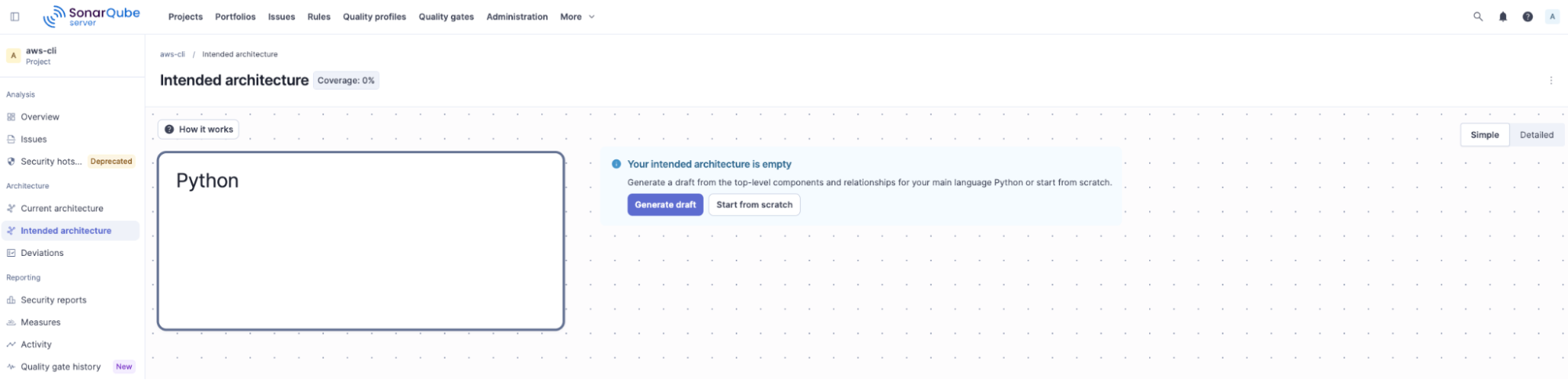
The current architecture shows you what exists but the intended architecture lets you define what should exist and, once defined, is the model SonarQube checks at every analysis against, detecting when the code deviates from the intent. Navigate to Architecture → Intended architecture to open the editor. When first visiting this tab, you'll find one box for each language found in your codebase. As the AWS CLI is a pure Python project, there's only a single Python box:
How the intended architecture works
Before defining your intended architecture using the editor, it's important to understand some rules that govern how the intended architecture behaves. These rules ensure that the model is unambiguous:
- Only the components you add, and their sub-components, are verified.
- A relationship you define is a relationship that's allowed.
- Relationships you leave undefined between components added to the intended architecture are not allowed.
- Relationships can only be defined between sibling components.
- Child components inherit the relationships of their parents.
Adding top-level components
At this stage, your intended architecture is empty. When you’re ready to define your intended architecture, you can:
- Generate a draft — if no intended architecture is defined for a project, SonarQube will propose an initial, simple intended architecture automatically, and the architect need only accept it to get started quickly. On first glance, the architect may need to modify the intended architecture draft as, for example, some of the current relationships may be undesirable, or some components may not need to be controlled.
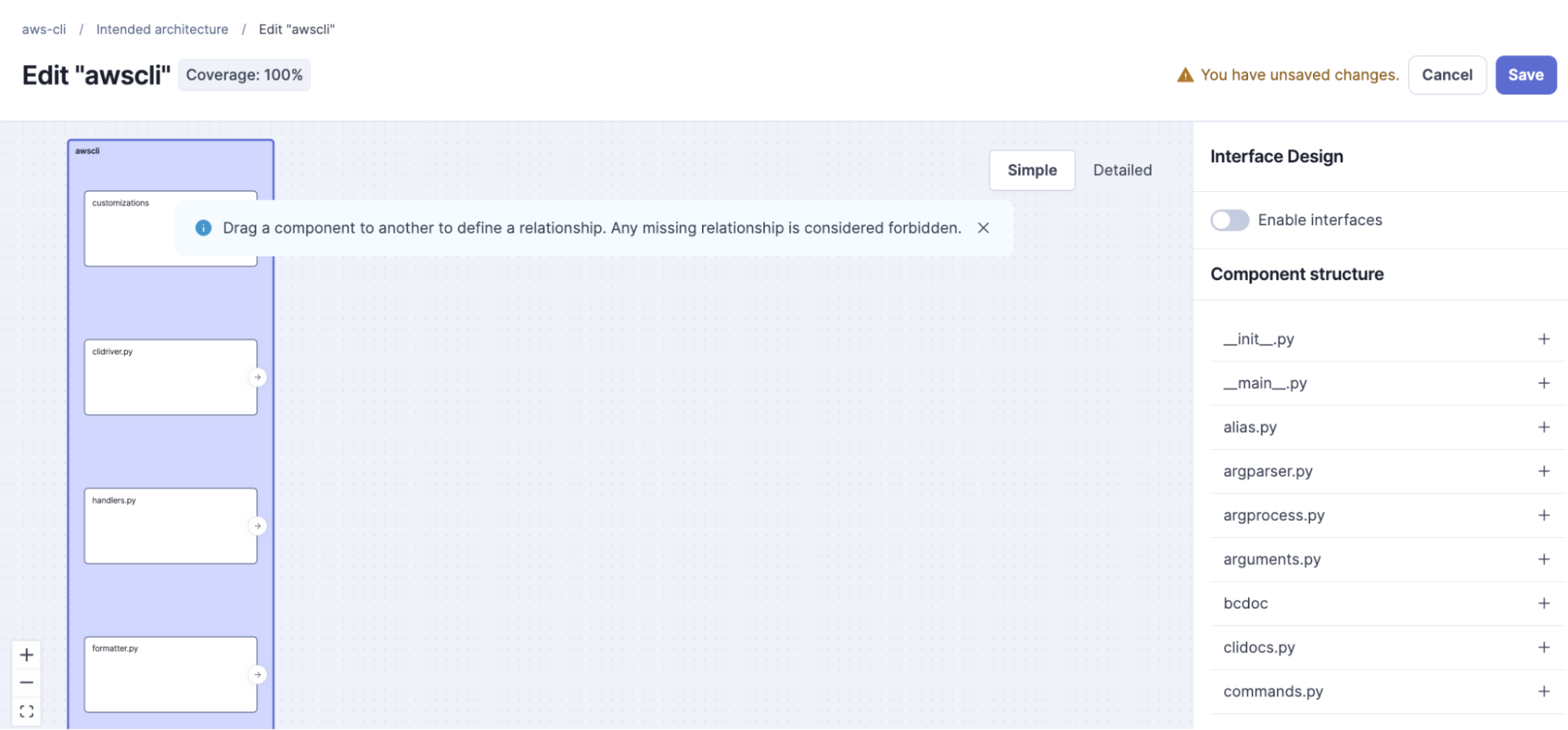
- Start from scratch — begin by adding the components that matter most, usually the top-level ones, and defining the relationships between them. At the start, there's no need to go deep. As a best practice, resist the urge to model everything (the AWS CLI has more than 20 top-level modules). Start with the containers that carry the most architectural weight. For this walkthrough, add:
customizations: the feature commandsclidriver: the CLI driver and entry pointhandlers: builtin command registrationsformatter,table,text: output renderingutils,compat: shared base utilities
Defining allowed relationships
Now draw the dependencies that you consider legitimate. The intent here is a clean layering: features build on the core, output rendering depends downward on the base, and anything may use shared utilities. In conceptual terms, that can be modeled from the following allow-list:
clidriver      → handlers        (the driver wires up builtin handlers)
customizations → clidriver       (features build on the core driver)
customizations → formatter       (features format their own output)
customizations → table
formatter      → table
formatter      → text
formatter      → utils
table          → utils
*              → utils            (anything may use shared base)
*              → compat
And then added graphically to the intended architecture:
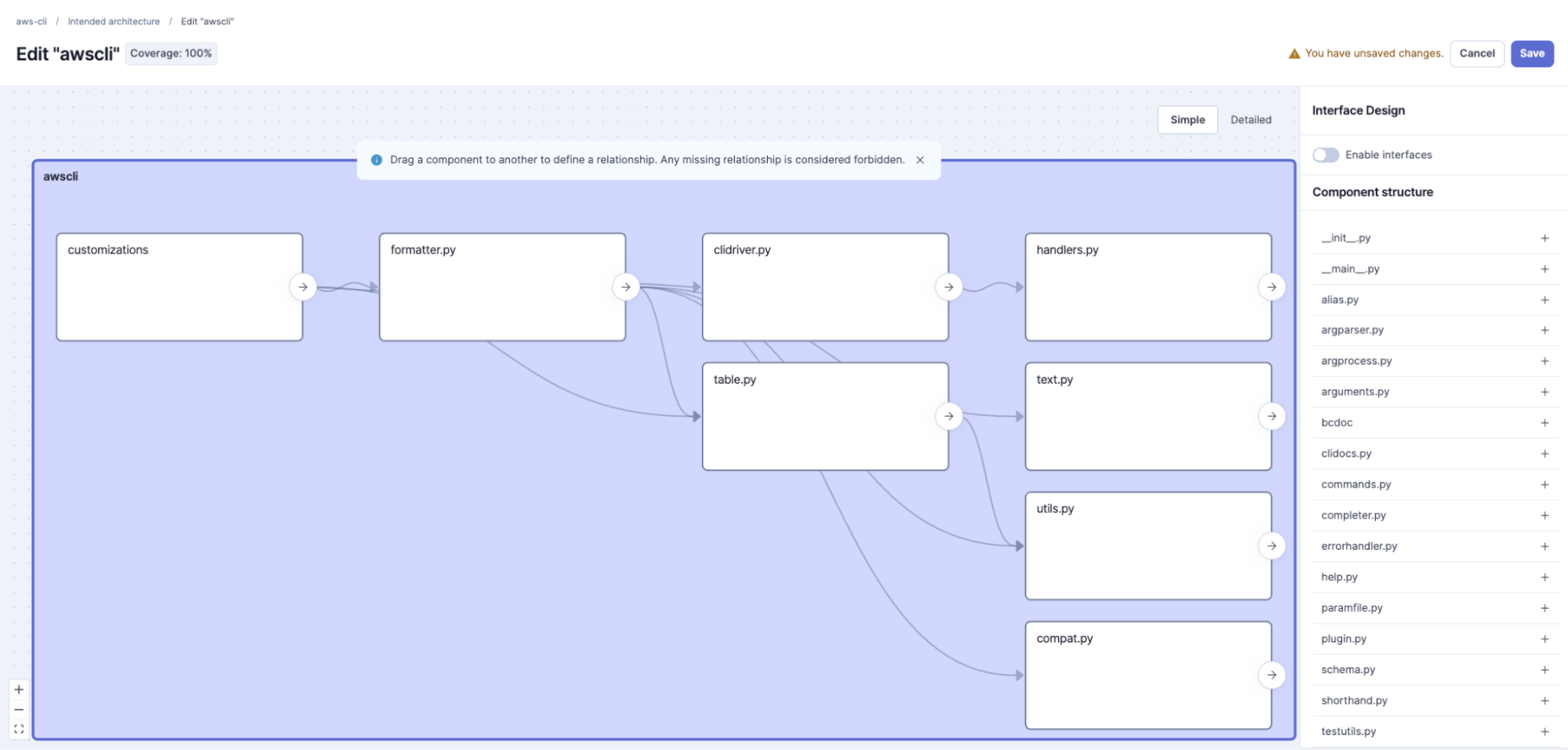
Notice what's not on the list. There's no handlers → customizations. We're declaring that the core should not depend on the feature commands it registers. Hold that thought, because the real code disagrees, and that's the point.
Going deeper: package-level definitions
The model isn't limited to the top level. Inspect customizations, and add two of its real sub-packages, customizations/ec2 and customizations/s3, then define the relationships you want between them. Because sub-containers inherit their parents' allowed relationships, you only model the extra constraints that matter at this depth. This is how you tighten the model where a package is doing a lot of work, without suffocating in detail everywhere else.
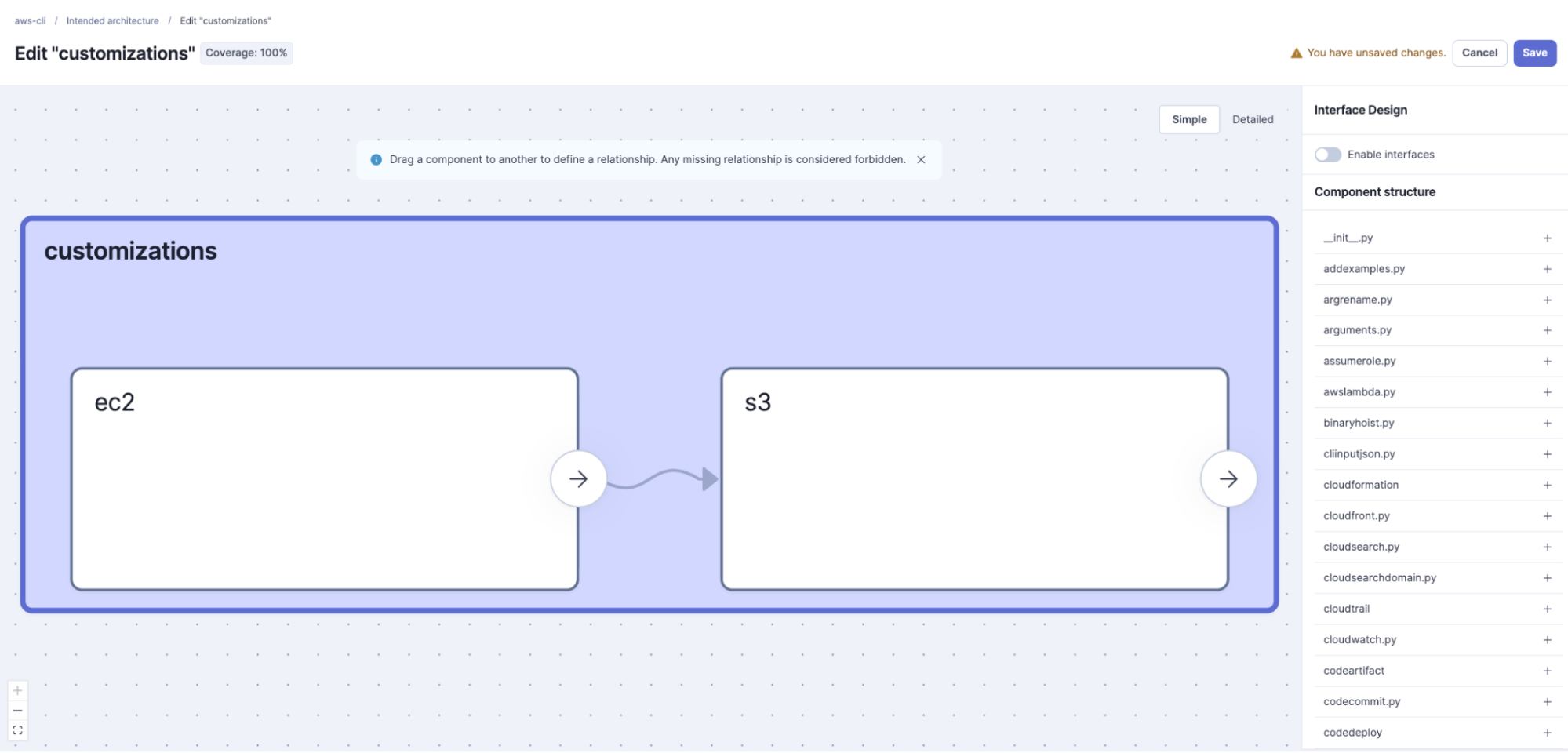
Note that you only specify the immediate child components. To go deeper, you need to save, then edit the child component you previously added.
Saving the changes
Click Save. Your model is stored, but it doesn't take effect until the next analysis. Defining the intended architecture and re-analyzing are two separate actions.
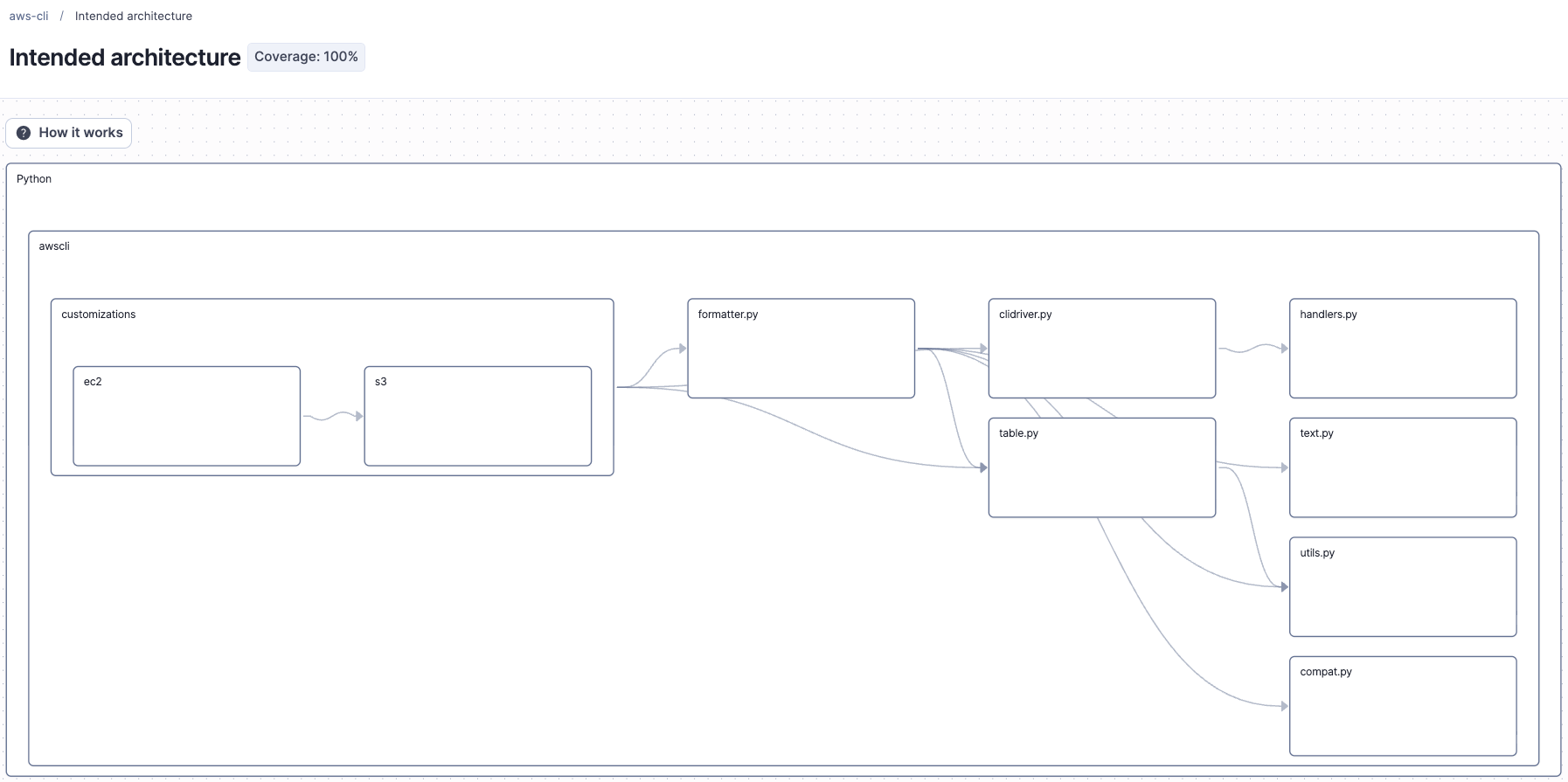
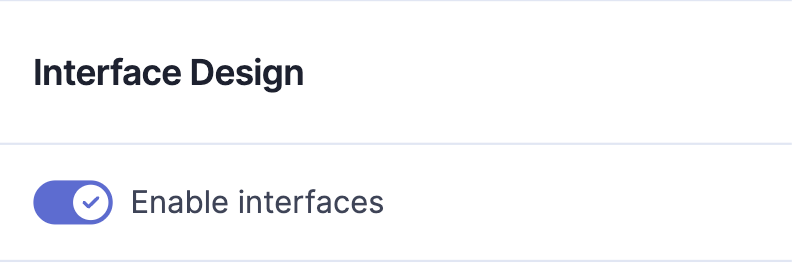
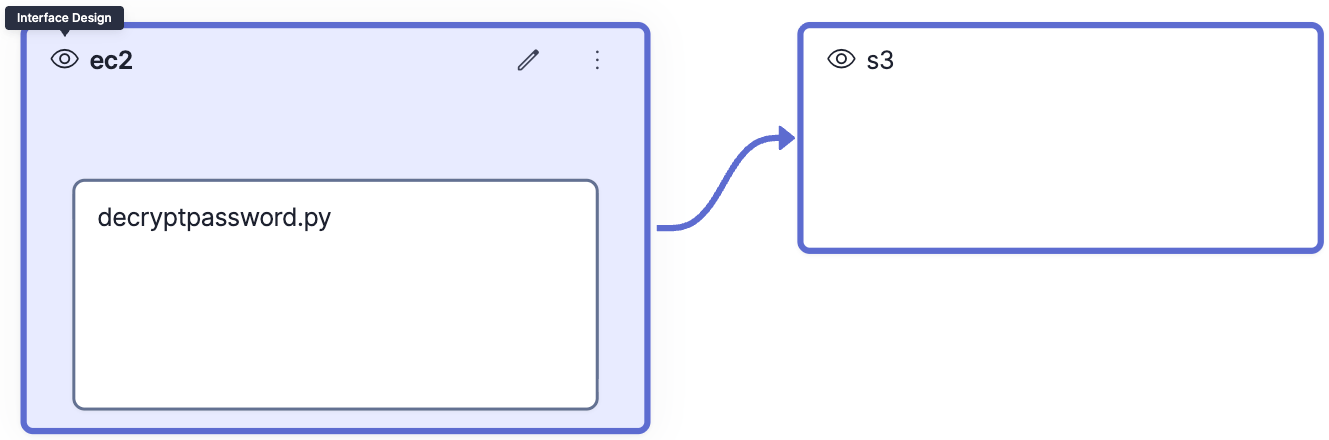
When defining your intended architecture, note that you can also design interfaces by toggling-on Enable interfaces for a specific component in edit mode. Activating this feature allows you to enable individual components as interface members to make them accessible from the outside. If Enable interfaces is selected for a component, any child components not added to the model are considered unreachable, but if deselected, all child components are reachable. Once you select Enable interfaces, the default thereby is unreachable.
3. Detecting deviations
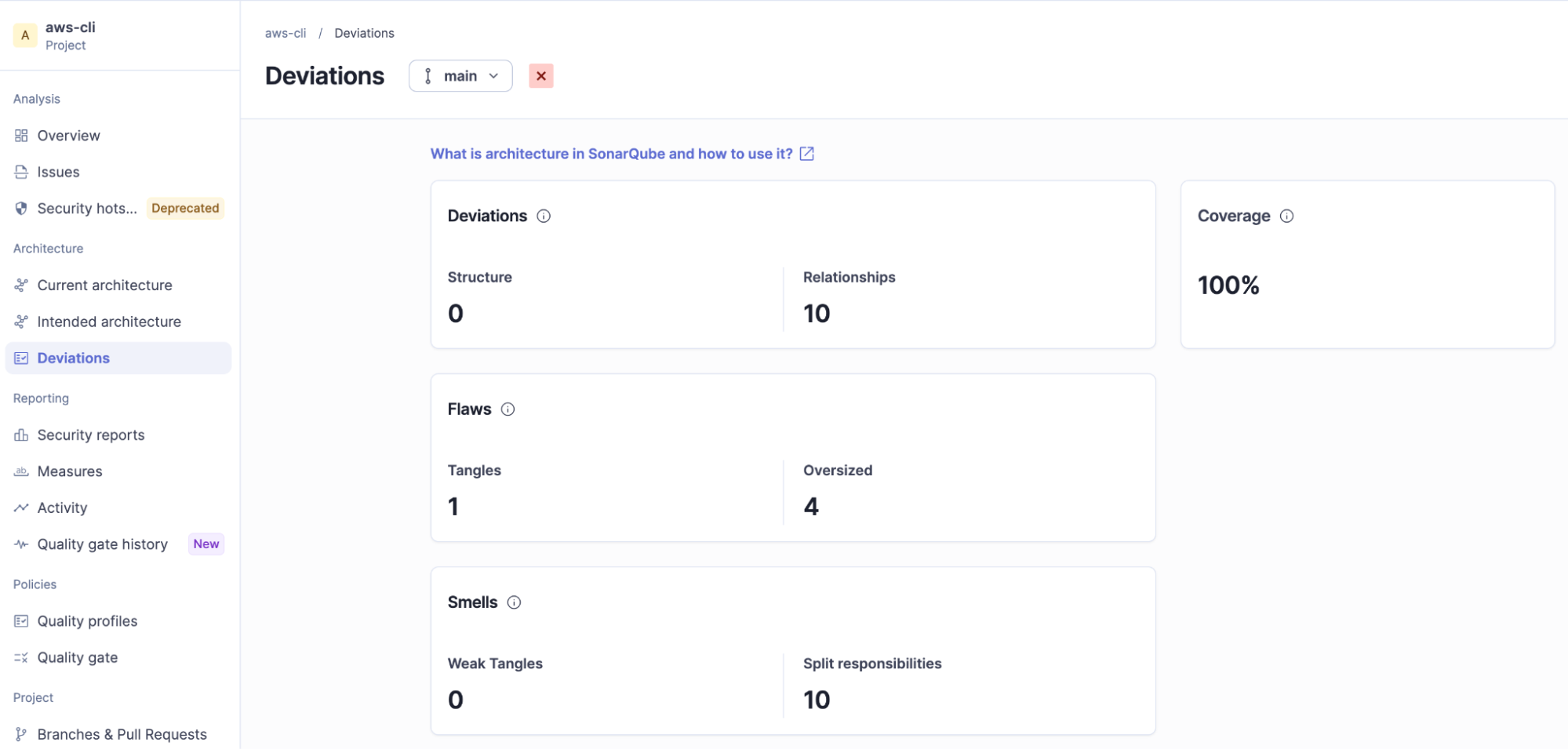
Re-run analysis so the intended architecture is applied and enforced. When it finishes, navigate to Architecture → Deviations. A deviation is any place the current architecture contradicts the intended one, and there are two kinds: relationships and structure deviations.
Relationship deviations
A relationship deviation (an incorrect dependency) is a sibling dependency that isn't on your allow-list. Our model allowed customizations → clidriver but never allowed the reverse direction into the feature package. The real code has one: handlers.py imports dozens of awscli.customizations.* modules to register builtin commands. That's the core reaching into the features, exactly the edge we chose to forbid, so the analysis raises it as a wrong dependency and surfaces issues.
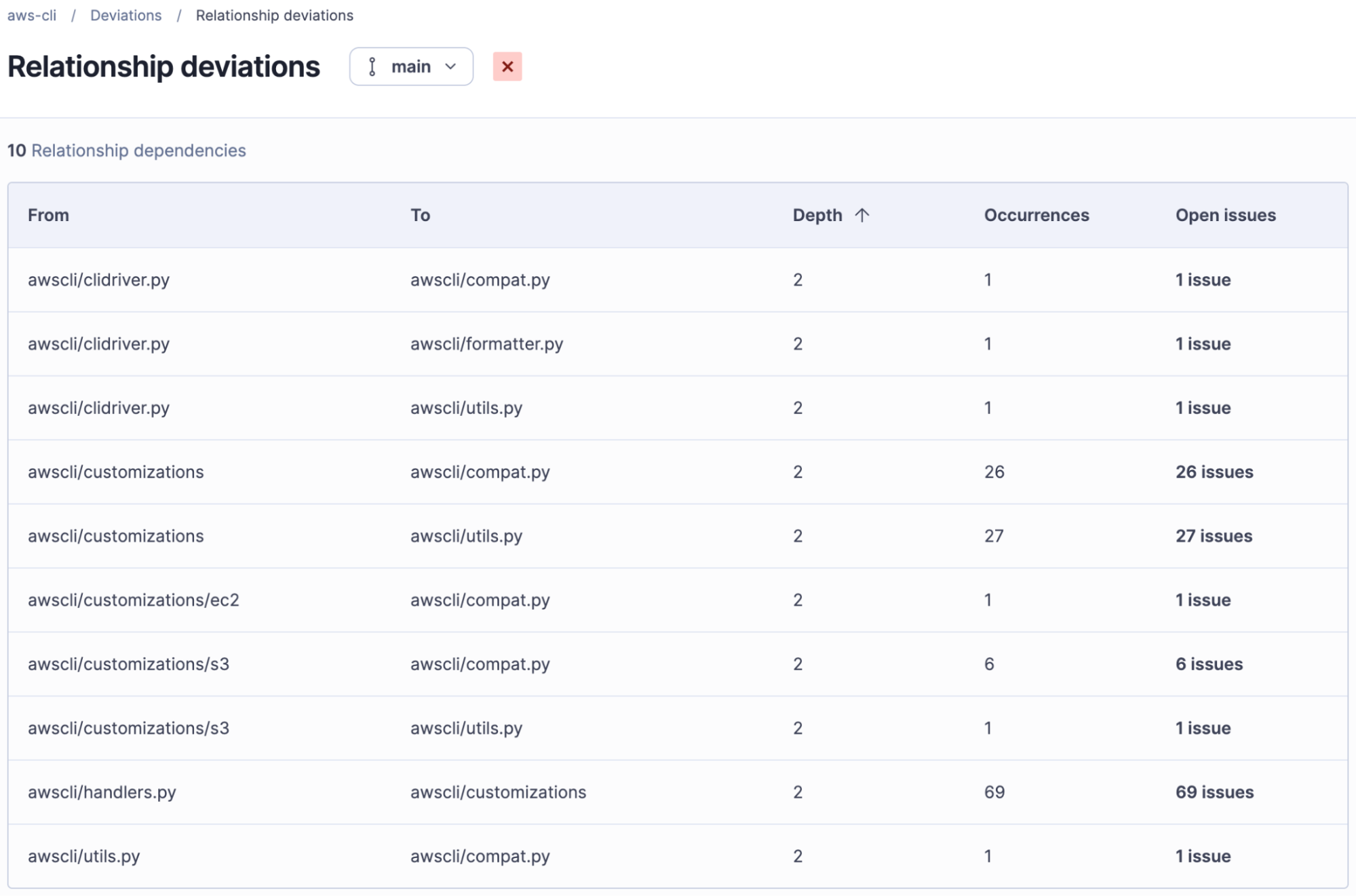
Click into the Open issues associated with awscli/handlers.py and awscli/customizations, of which there are 69 (file-to-file violations):
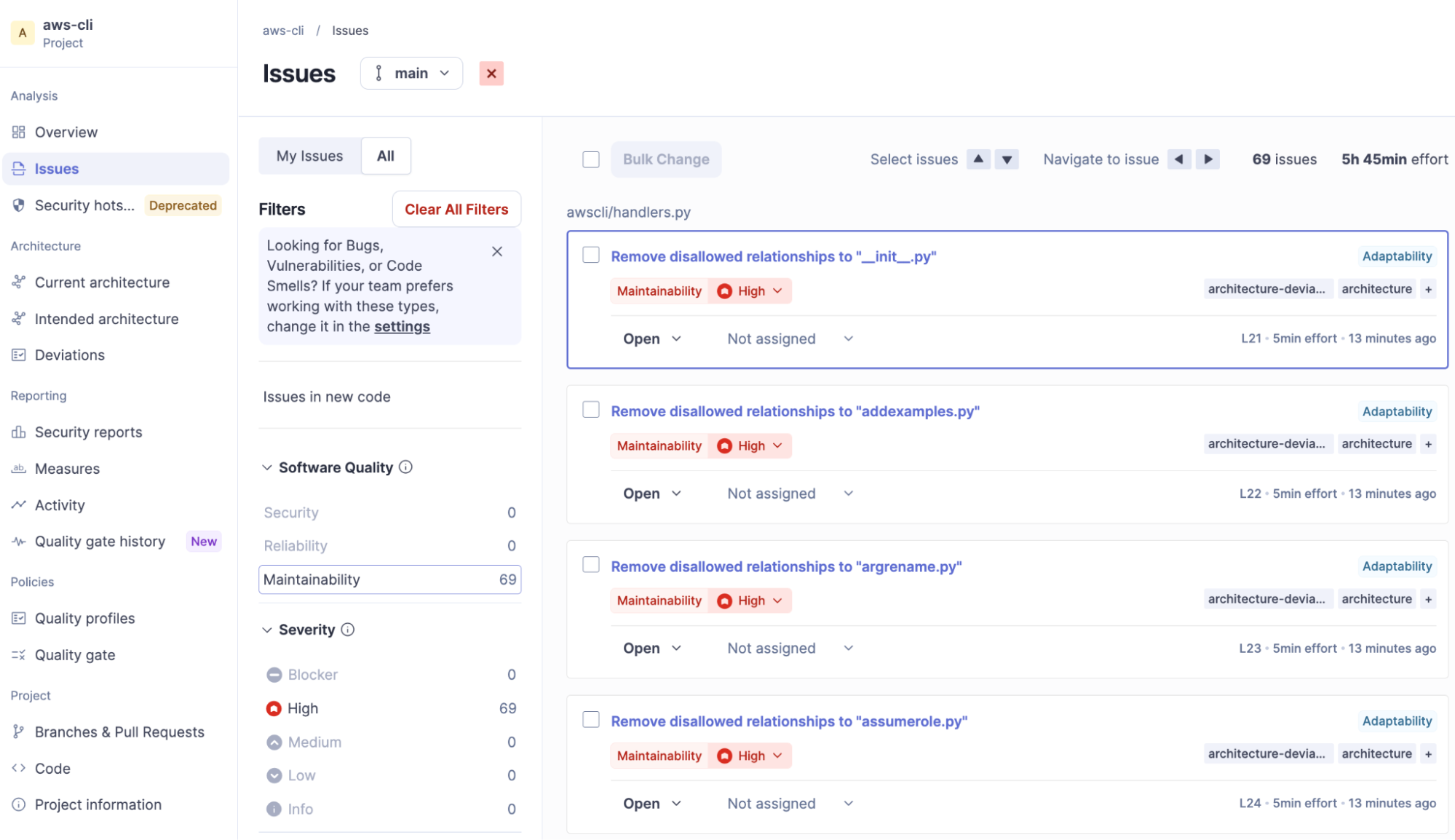
In defining our intended architecture, "The core shouldn't depend on its plugins" is a real architectural principle, and the AWS CLI's built-in registration model violates it in a way that's worth consideration.
Structure deviations
The second type of deviation, a wrong location, is a component that sits somewhere other than where your intended architecture says it belongs. You shape intended structure with two operations in the editor:
- Move: give a component a different parent in the model.
- Rename: change a component's name in the model.
When the code's real structure no longer matches what you modeled, the next analysis raises a wrong location. The AWS CLI has a natural candidate. The clidocs module generates CLI documentation and is built directly on the bcdoc documentation package, importing awscli.bcdoc.docevents to do its work. That makes a design intent easy to state: clidocs belongs inside bcdoc, not loose at the top level alongside unrelated modules. Model exactly that, using Move to place clidocs under bcdoc. The code still keeps clidocs.py at the top level of awscli, so its real location no longer matches the model, and the next analysis flags clidocs as a wrong location.
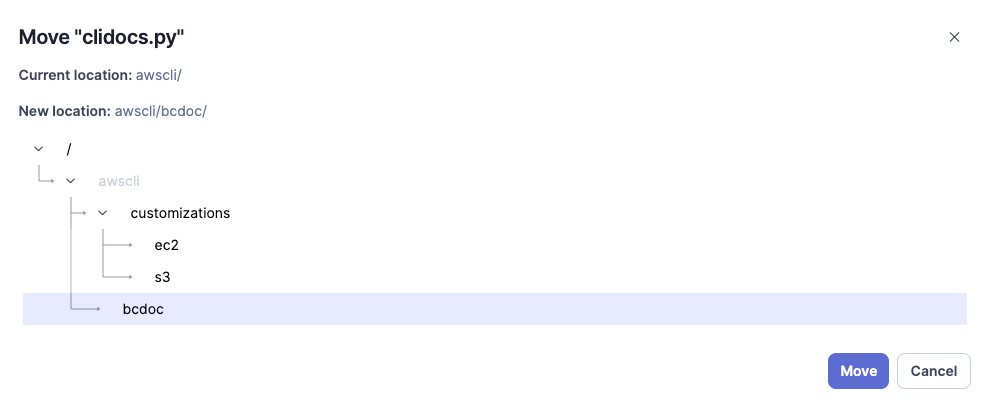
After saving the change and running analysis, it surfaces a Structure deviation with an associated issue:
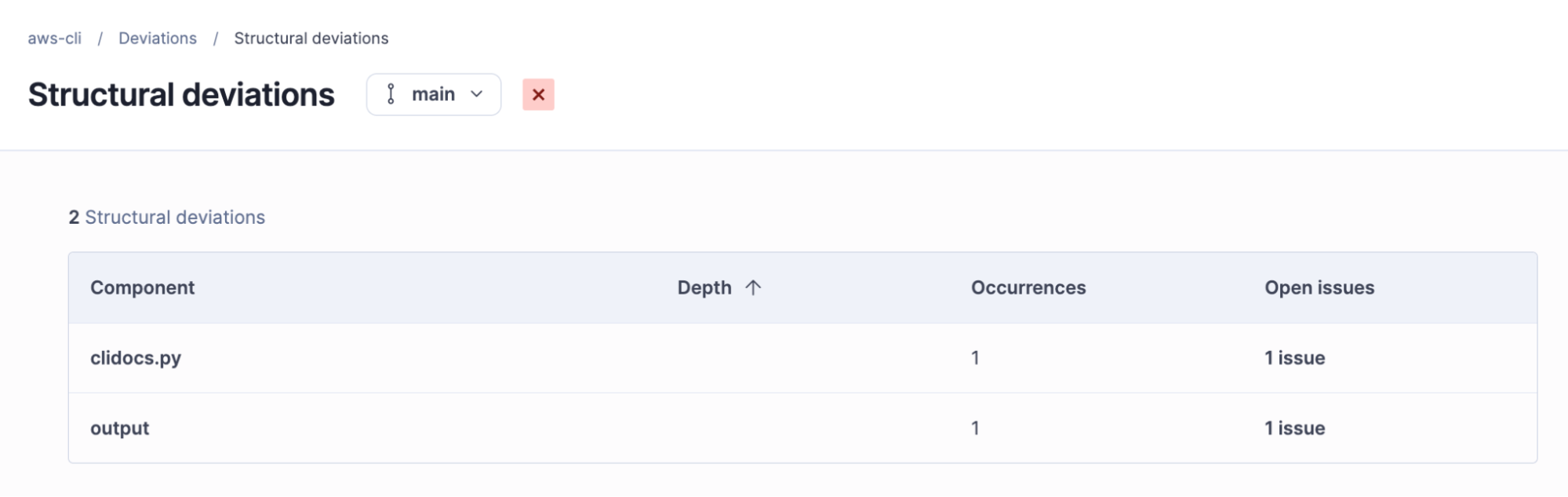

How deviations become actionable
Deviations don't stay locked inside the Architecture view. Each one has a two-level structure: there's a high-level architecture deviation describing the broken rule, and beneath it the specific code-level issue(s), the exact imports, calls, or references that break it. Those code-level issues show up in the normal Issues list and flow into your project's analysis like any other finding.
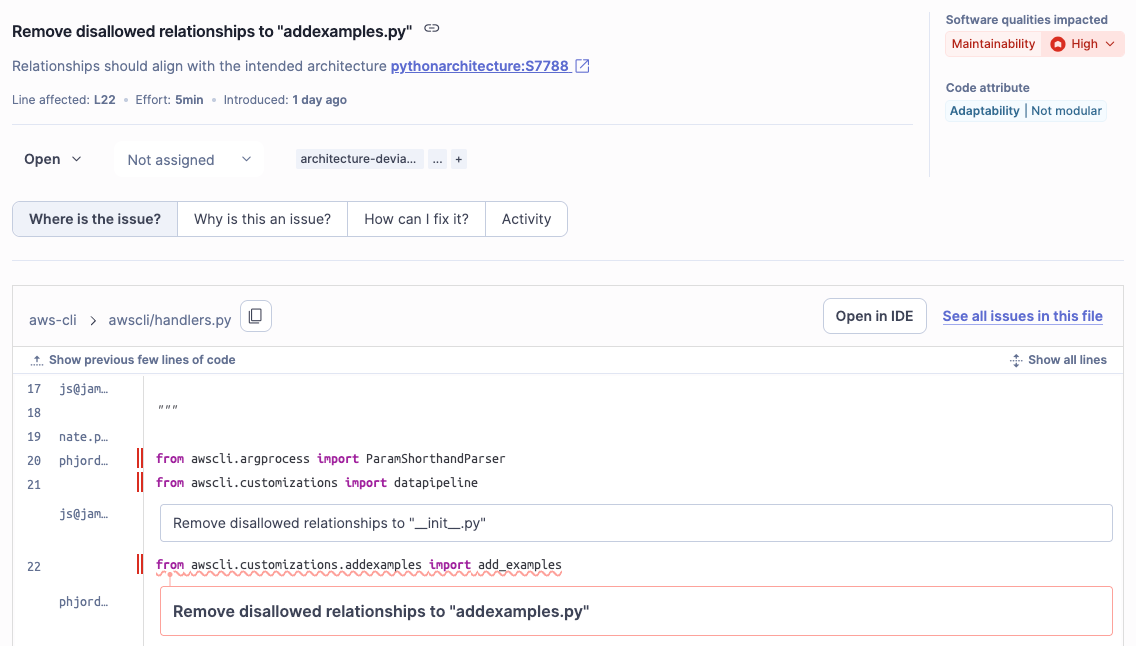
A developer fixing the handlers.py import doesn't need to open the Architecture dashboard or understand the whole model. They see an issue on a line of code, with an explanation, in the tool they already use. Architects work in terms of component structure and relationships, devs work in terms of issues, and the model keeps both in sync.
4. Interpreting flaws and smells
Deviations depend on the intended architecture that you defined, but flaws and smells don't: they're structural problems the analysis finds regardless of whether or not you've defined an intended architecture at all. Open Deviations → Flaws and Smells to inspect them.
Flaws vs. smells
Flaws are structural problems that exist regardless of intent:
- Tangles: a set of classes or files that are cyclically dependent. Every item in the set can reach every other item through the dependency graph, so you can't change or reason about one without dragging in the rest.
- Oversized components: containers that have grown large enough to become difficult to maintain.
Smells are problems that tend to worsen over time, raising coupling and making changes harder to localize:
- Weak tangles: a set of containers that are cyclically dependent, but where the files or classes they contain are not entangled.
- Split responsibilities: a component pulled in multiple directions by unrelated child components.
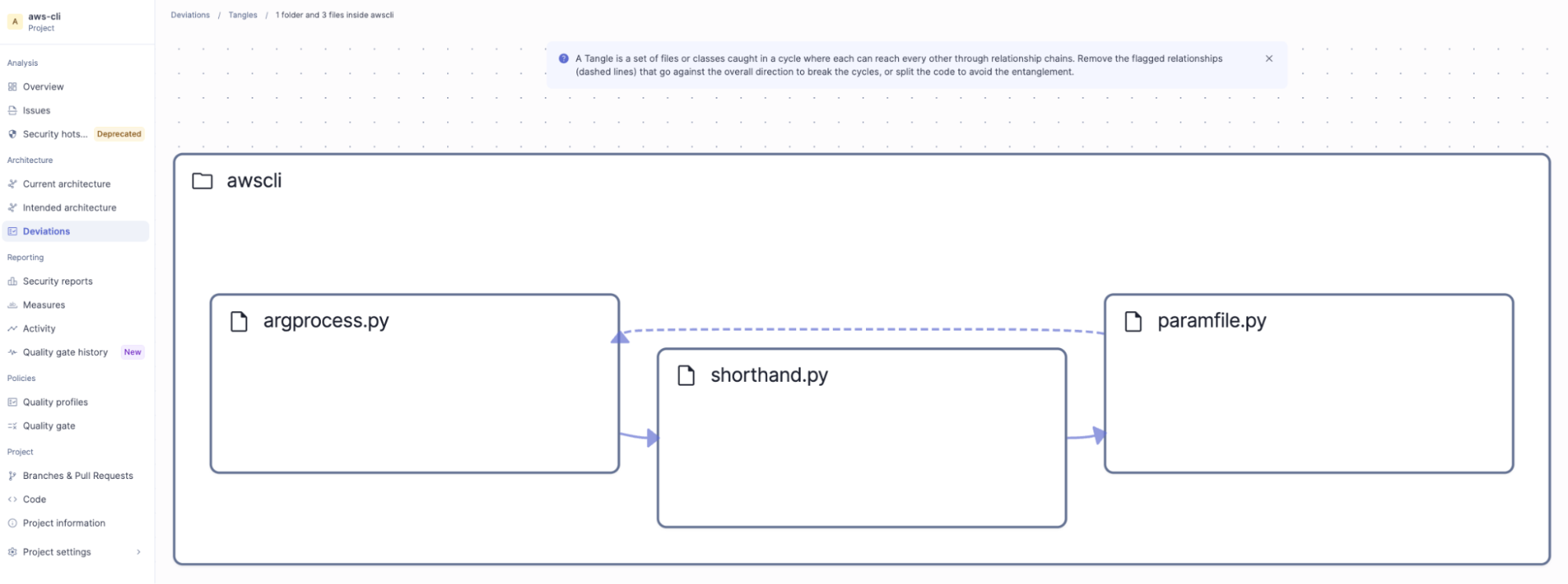
On the AWS CLI, the analysis reports one tangle, four oversized components, zero weak tangles, and 10 split responsibilities. Click into Tangles to inspect the tangle at play:
Addressing a tangle
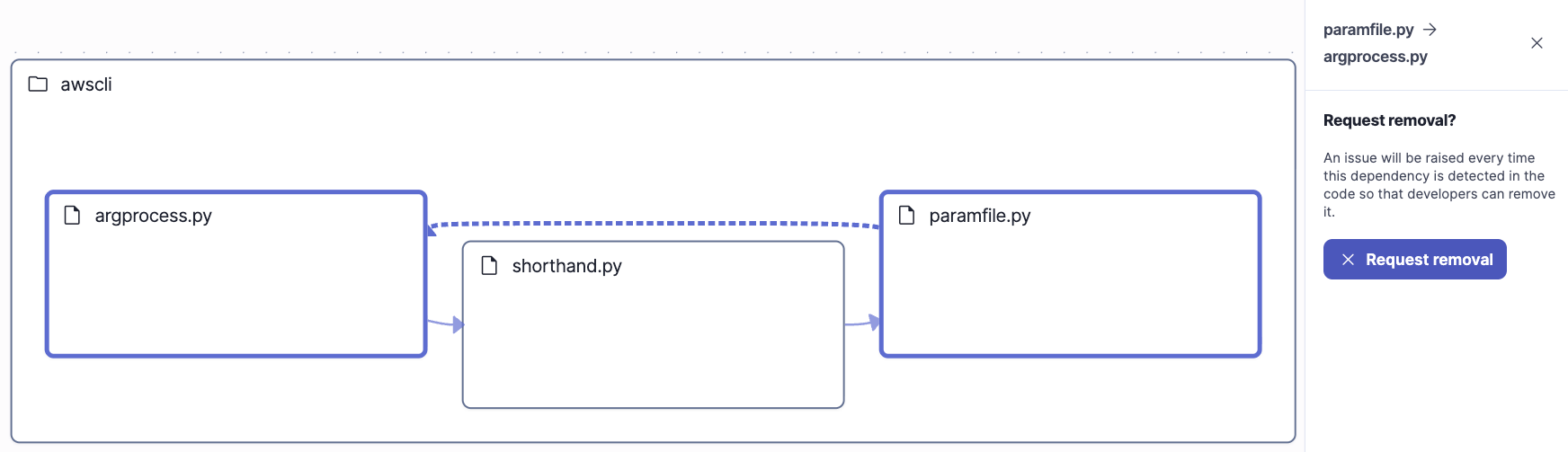
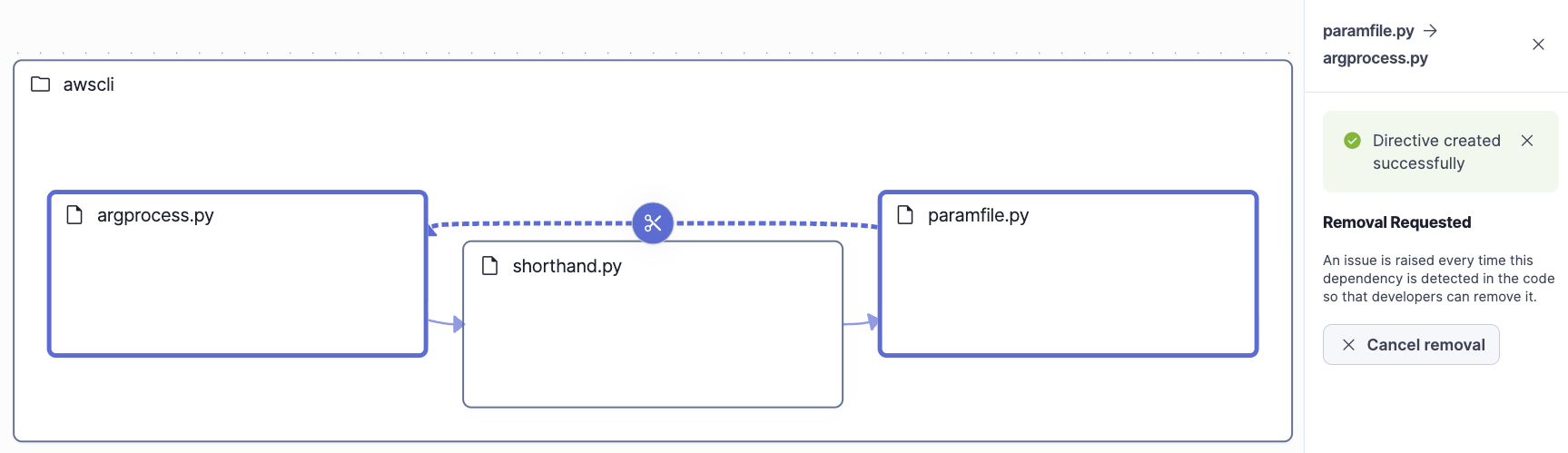
The surfaced tangle is a tight one and consists of three modules: argprocess.py imports shorthand.py, shorthand.py imports paramfile.py, and paramfile.py imports back into argprocess.py. That last import closes the loop, so none of the three can be read, tested, or changed without the other two tagging along.
SonarQube lays out the cycle visually and draws the relationship that closes it, the dashed edge from paramfile.py back to argprocess.py. Select that undesirable relationship and click Request removal. This creates a directive that ensures an issue will be raised every time this dependency is detected in the code so that developers can remove it.
What to know
- Architecture management is available in the Developer, Enterprise, and Data Center editions of SonarQube Server. It isn't included in SonarQube Community Build.
- Supported languages are JavaScript, TypeScript, Python, Java, and C#.
- Architecture analysis runs automatically on every analysis with no extra configuration. Changes to the intended architecture take effect on the completion of each analysis.
- Editing the intended architecture requires Administer Architecture permission, which project administrators have by default.
- The roles split cleanly: tech leads and architects curate the intended architecture and decide which flaws become directives, while developers fix the resulting issues as part of their normal workflow.
Summary
With this guide, you discovered the AWS CLI's real component structure and relationships by reading its current architecture map, formalized an intended architecture as an allow-list of sibling relationships, prioritized the gaps by re-analyzing and interpreting the deviations, and started to fix the most tangled one by issuing a directive. Without having to model the entire codebase up front, you started with the containers that matter; now you can let the model grow as the code does.
The payoff that architecture management affords you compounds over time. A defined architecture is living documentation that never goes stale, a source of truth shared across your team, and, increasingly, the context your AI agents need to generate code that respects the boundaries you set.
Next Steps
- Review the Architecture on SonarQube Server documentation
- Discover how to manage your architecture on SonarQube Cloud
- Watch the video on How to Manage Software Architecture with SonarQube
- Understand the importance of architecture management in the agentic era
- Refer to our comprehensive list of resources for architecture management