
TLDR overview
- Terraform provisions the entire AWS stack: a two-AZ VPC, an Amazon EKS cluster with dedicated node groups, a private Multi-AZ Amazon RDS for PostgreSQL 16 database, an Application Load Balancer, an ACM certificate, a Route 53 record, and CloudWatch Container Insights.
- SonarQube Server is installed with the official Sonar Helm chart (version 2026.5.1000 or later), pinned to its own tainted node group and persisted on an Amazon EBS gp3 volume.
- You can optionally enable the agentic components (Sonar Vortex analysis, the Agent Orchestrator, SonarQube Hunter Agent, and SonarQube Remediation Agent) with a single variable. They get their own node group and S3 or EFS storage.
- Setup takes four commands once your variables are set:
terraform init,validate,plan, andapply. Cleanup isterraform destroy.
SonarQube Server 2026.5 LTA is the long-term active release of the self-managed SonarQube code quality and security platform, and carries new, agentic capabilities: Sonar Vortex, SonarQube Remediation Agent, and SonarQube Hunter Agent, which run as separate containers deployed alongside SonarQube Server. This blueprint shows how to deploy SonarQube Server 2026.5 Enterprise Edition on Amazon EKS using Terraform and the official Helm chart, with an optional set of agentic components, so the whole stack is repeatable, reviewable, and easy to tear down. Running it on EKS lets you pair SonarQube analysis with the availability and scalability of AWS services. To follow along with this blueprint, simply clone the sample Terraform templates.
How does the SonarQube Server deployment work?
The templates deploy SonarQube Server as a single Helm release on an EKS cluster. Everything it depends on is created by Terraform in the same run, so there is nothing to click through in the AWS console.
Infrastructure components
Deployment architecture
Traffic enters through the Internet Gateway to an internet-facing Application Load Balancer, which terminates HTTPS with an ACM certificate and forwards to the SonarQube Server pod on port 9000. The pod talks to a private RDS instance over TLS. Worker nodes sit in private subnets and reach the internet only through the NAT gateways.
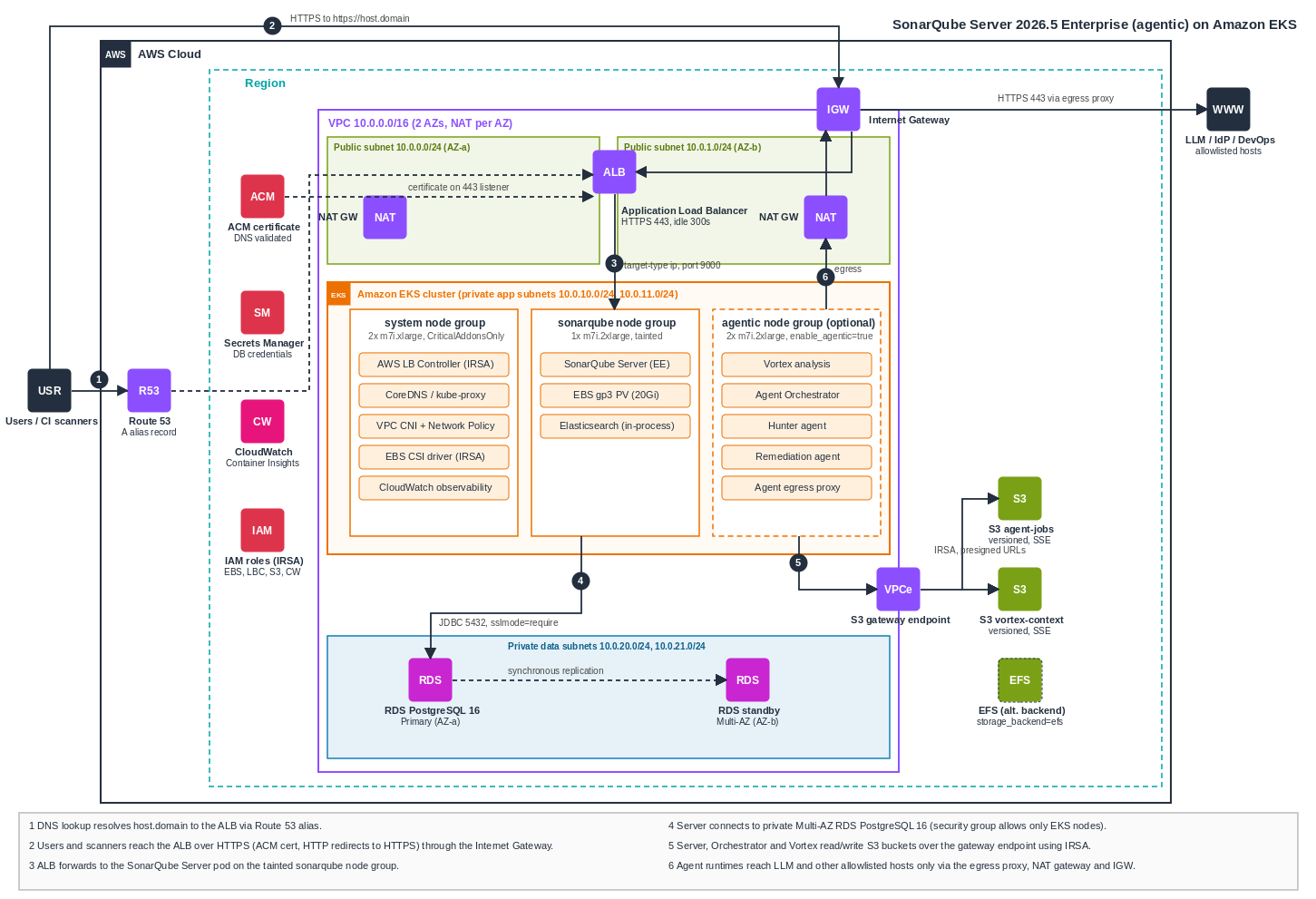
Figure 1. SonarQube Server Enterprise on Amazon EKS
Workloads are separated across three managed node groups:
- system (2x
m7i.xlarge, taintedCriticalAddonsOnly) runs cluster add-ons such as CoreDNS, the AWS Load Balancer Controller, the EBS CSI driver, and the CloudWatch observability controller. - sonarqube (1x
m7i.2xlarge, tainted) is dedicated to SonarQube Server, which avoids backlogs and scheduling conflicts with other services. Enterprise Edition needs more memory than Developer Edition, and Sonar recommends at least eight cores and 16 GB of RAM for the server node. - agentic (2x
m7i.2xlarge, tainted) is created only whenenable_agentic = trueand hosts Vortex, the Orchestrator, the Hunter and Remediation runtimes, and the egress proxy.
Database
SonarQube Server requires an external database in production. The embedded database is for evaluation only. The templates create a private, encrypted RDS for PostgreSQL 16 instance with a generated password, stored in AWS Secrets Manager and as a Kubernetes secret. A security group allows connections on port 5432 only from the EKS worker nodes. The Helm chart connects through its JDBC overwrite settings with sslmode=require.
Persistence and indexing
SonarQube Server bundles Elasticsearch, which keeps its indices on disk. Without a persistent volume, every pod restart triggers a full reindex and slows startup. The templates enable persistence on a 20 Gi encrypted gp3 volume provisioned by the EBS CSI driver. Review this setting for your own workload, since abrupt pod terminations can leave indices in a bad state, and a volume is the safer default than reindexing on every start.
Prerequisites
- Terraform 1.6 or later, and the AWS CLI with
kubectlinstalled locally. - AWS credentials that can create EKS, VPC, RDS, S3, ACM, Route 53, and IAM resources.
- A registered domain with a Route 53 hosted zone that your AWS account can update.
- Enterprise Edition licensing plus entitlement for each agentic capability that you enable.
- SonarQube Server must be using the new license management and not Server ID based licensing.
- If enabling agentic capabilities: an LLM endpoint, credential, and provider-recognized model identifiers that meet the released requirements for each feature.
- A configured DevOps integration, project-bound, with the repository permissions Remediation Agent (if enabled) needs to push a branch and open a pull request.
- Enough on-demand standard vCPU quota in the target region. The default node groups use 16 vCPUs (32 with the agentic node group), and node group updates need headroom for an extra instance.
Step 1 — Fetch the Terraform templates
Clone the template repository. The files are organized by concern:
Step 2 — Configure your variables
Copy the example variables file and edit it for your environment. Every input is documented in variables.tf.
cp terraform.tfvars.example terraform.tfvarsAt a minimum, set the region, two Availability Zones, your Route 53 hosted zone and domain, the administrator role, and the chart version:
aws_region = "us-east-1"
name       = "sonarqube-eks"

azs = ["us-east-1a", "us-east-1b"]

kubernetes_version = "1.35"

admin_principal_arns = [
  "arn:aws:iam::123456789012:role/YOUR_EKS_ADMIN_ROLE"
]

hosted_zone_id = "YOUR_ROUTE53_HOSTED_ZONE_ID"
domain_name    = "example.com"
host_name      = "sonarqube"

sonarqube_chart_version = "2026.5.1001"

enable_agentic = false
SonarQube Server will be served at https://<host_name>.<domain_name>, for example https://sonarqube.example.com.
Use the full IAM role ARN, including any path. aws sts get-caller-identity omits the path, and EKS rejects the path-less ARN with an invalid principal error. The templates skip any entry that matches the identity running Terraform, because that principal is already granted cluster admin.
Other variables worth reviewing:
sonarqube_chart_version: pin an exact published version,2026.5.1000or later.postgres_high_availability: set tofalsewhere Multi-AZ is not wanted.- Subnet CIDRs: keep them from overlapping each other or any network you peer with.
tags: applied to all supported AWS resources.
Step 3 — Deploy with Terraform
Initialize the providers and modules, format and validate the configuration, review the plan, and apply:
terraform init
terraform fmt -recursive
terraform validate
terraform plan
terraform apply
Terraform creates the VPC and EKS cluster first, then the add-ons, the database, the certificate, and finally the SonarQube Helm release and the ALB ingress. Expect the apply to take a while, mostly waiting on EKS, RDS Multi-AZ, and certificate validation. The Kubernetes and Helm providers call aws eks get-token on every connection, so long applies do not fail on expired tokens.
Step 4 — Connect to the cluster and verify
Terraform prints a ready-made kubeconfig command in its outputs. Run it, then check that the nodes are healthy:
aws eks update-kubeconfig --region us-east-1 --name sonarqube-eks

kubectl get nodes -o wide
You should see the system and sonarqube nodes (plus the agentic nodes if enabled). Then check the SonarQube pod:
kubectl get pods -o wide -n sonarqubeThe pod can take several minutes to become Running and Ready on first start. If the load balancer reports an unhealthy target, you can bypass it for troubleshooting with a port-forward:
kubectl port-forward -n sonarqube svc/sonarqube-sonarqube 9000:9000Step 5 (optional) — Deploy the agentic components
To deploy Sonar Vortex analysis, the Agent Orchestrator, SonarQube Hunter Agent, and SonarQube Remediation Agent, set the following in terraform.tfvars and apply again:
enable_agentic        = true
runtime_replica_count = 1
storage_backend       = "s3"

llm_allowed_domains = [
  "api.anthropic.com"
]- Node group and secrets.
enable_agenticalso creates the agentic node group, storage, and the signing secret used between components. - Storage. The default
s3backend creates two private, versioned, encrypted buckets (agent jobs and Vortex context) reached through a VPC gateway endpoint. The server, Orchestrator, and Vortex authenticate with IAM roles for service accounts, and runtimes receive presigned URLs. Useefsif you prefer a shared filesystem. - Egress. Agent runtimes can reach only the hostnames in
llm_allowed_domains(plus the S3 bucket hostnames, which are added automatically), and only through the egress proxy.
Setting enable_agentic back to false destroys the agentic node group, storage, and their data. To upgrade SonarQube Server, use agentic_paused instead.
Before production use, confirm from inside each agent runtime pod that allowlisted hosts are reachable only through the egress proxy and that a direct connection is blocked. The VPC CNI Network Policy setting is what enforces the chart's NetworkPolicies. Without it, EKS accepts NetworkPolicy objects and enforces none of them.
If you later add AWS WAF in front of the ALB, raise its body size limits so analyzer-context uploads are not rejected with HTTP 413.
Step 6 — Sign in and activate your license
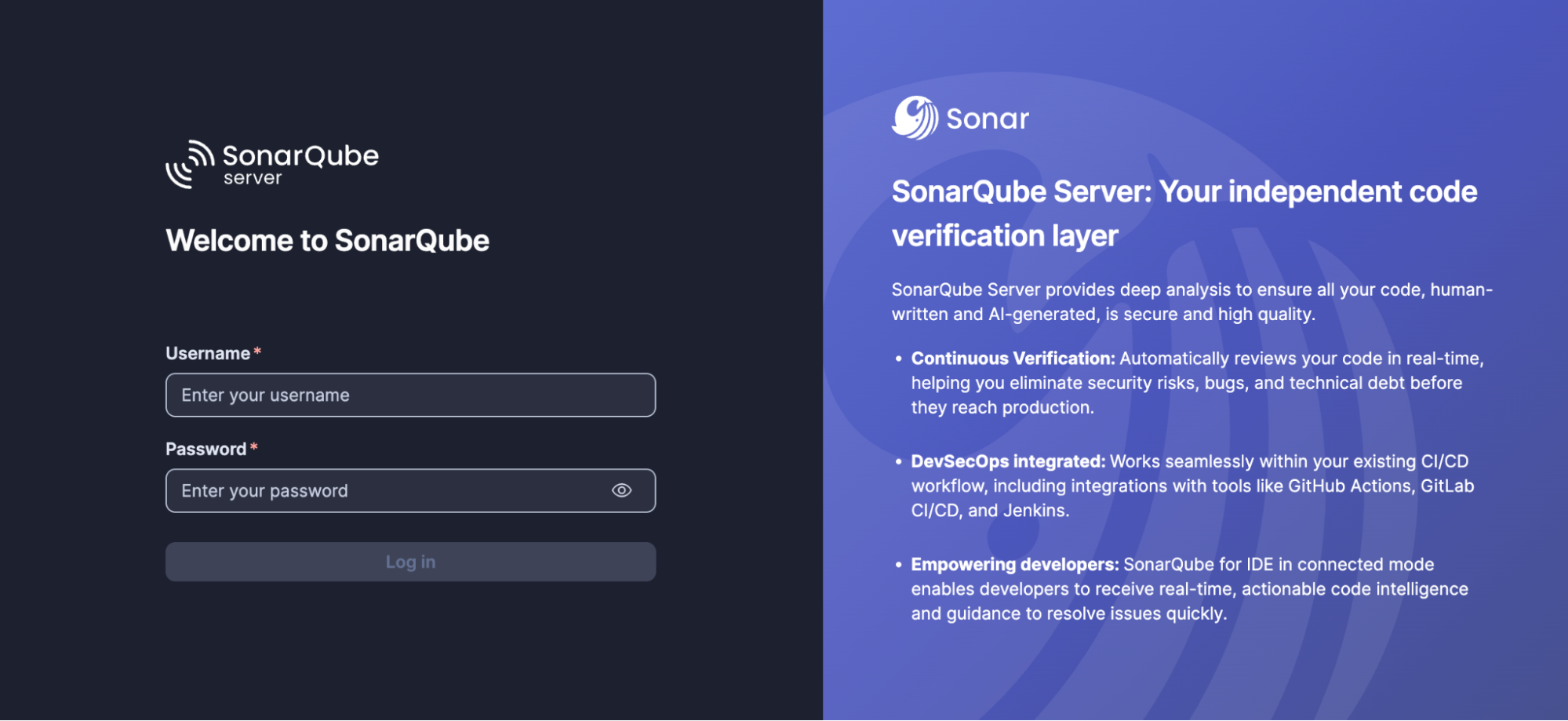
Open https://<host_name>.<domain_name>. ACM issues and renews the certificate automatically, so there is no certificate renewal job to maintain. The first login is username admin and password admin, and you are required to change the password immediately.
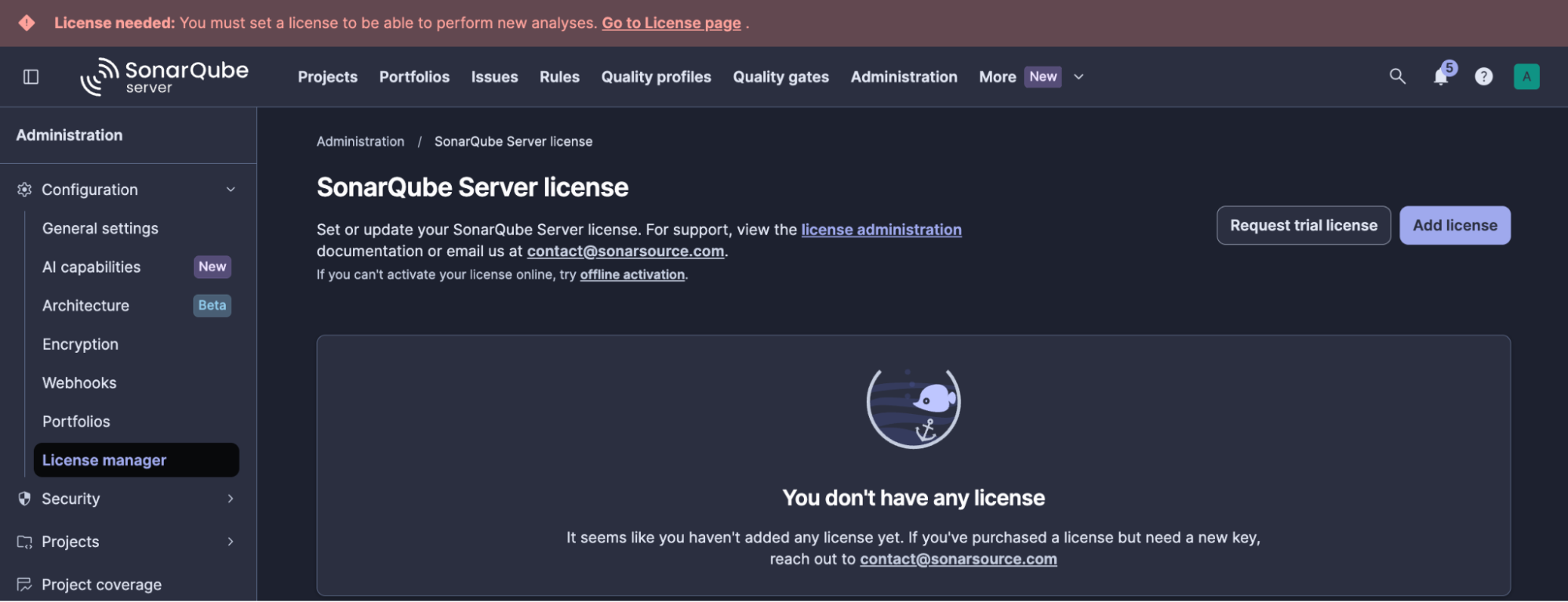
Apply your Enterprise license under Administration → Configuration → License manager, and change the admin password when prompted.
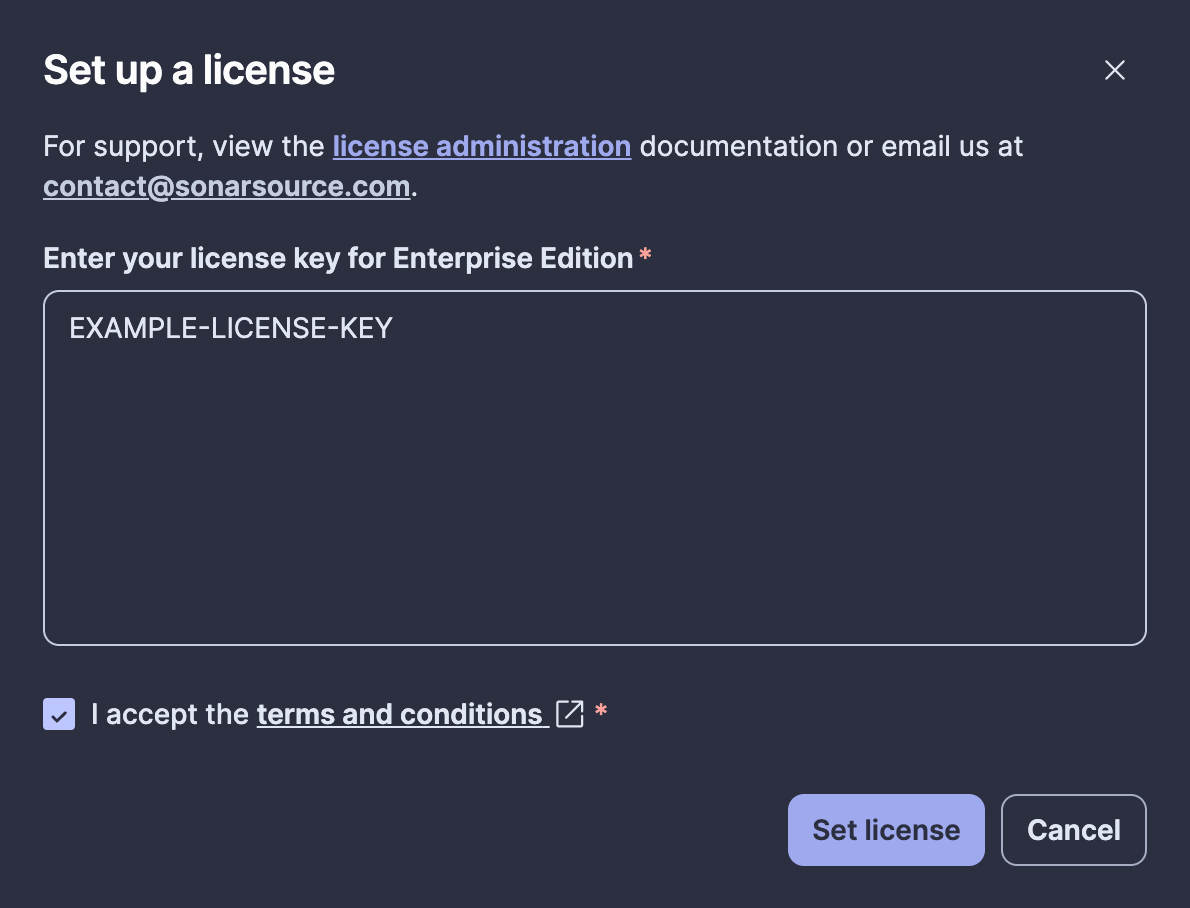
Verify entitlement for each agentic capability you intend to enable. License activation alone does not demonstrate entitlement.
Optional: encrypt sensitive settings
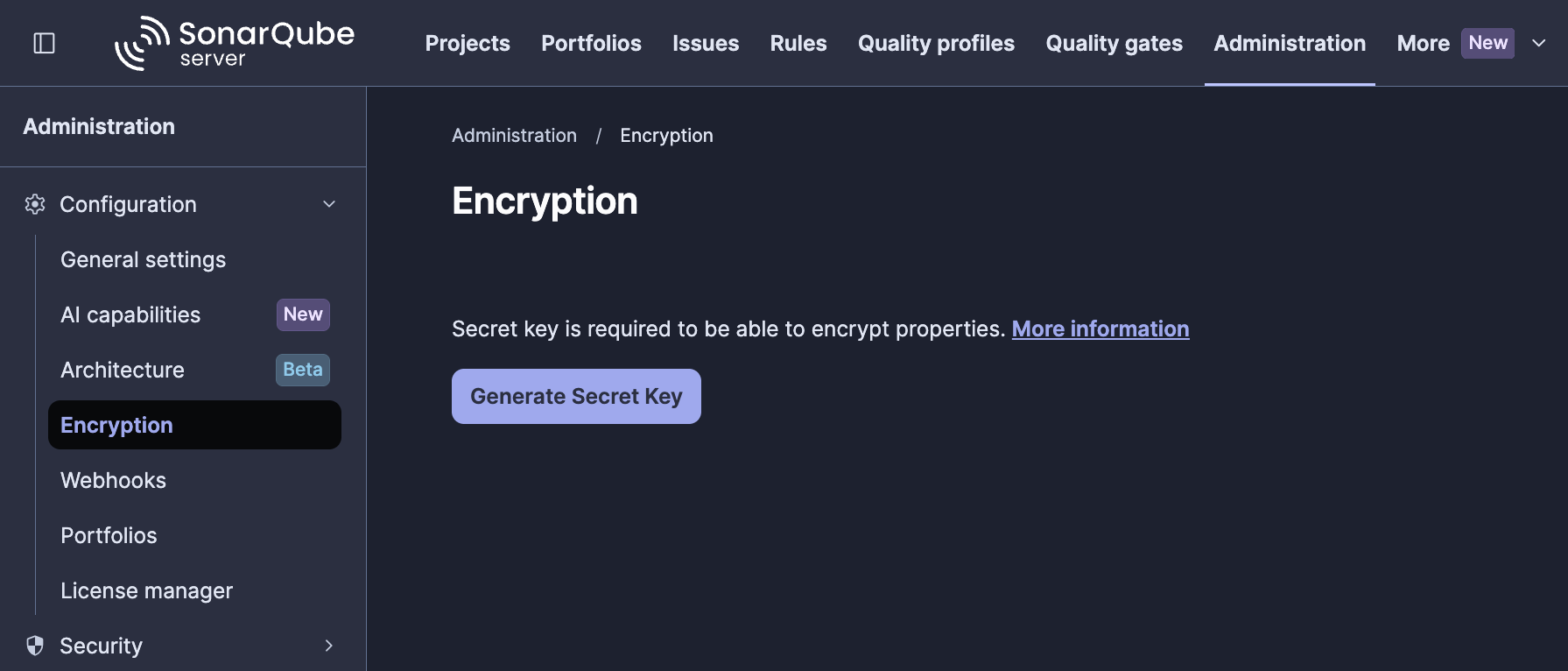
To encrypt settings stored in the database, generate a secret key in the SonarQube UI, create the sonarqube-encryption-secret Kubernetes secret from it, then set enable_settings_encryption = true and run a second terraform apply.
Generate a key under Administration → Configuration → Encryption, then click Generate Secret Key. Copy the generated value and save it securely as sonar-secret.txt.
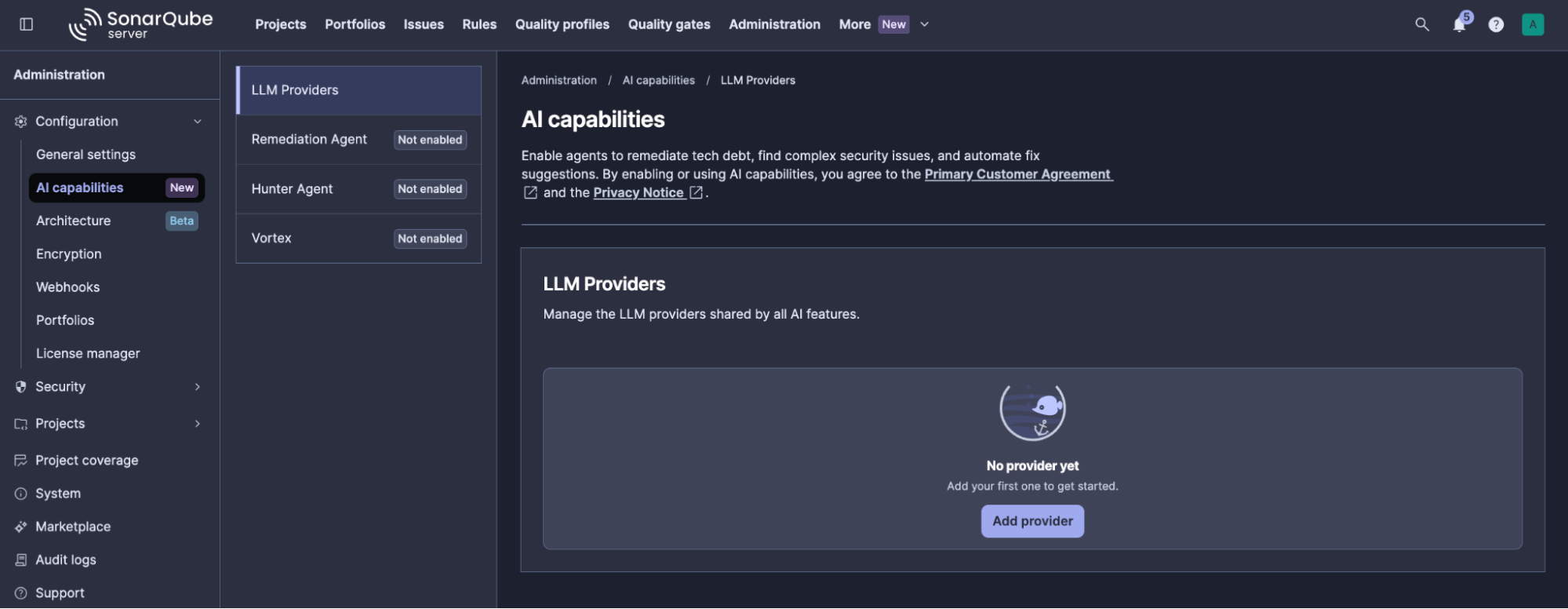
Step 7 (optional) — Register an LLM provider and enable the agentic capabilities
To activate and configure the agentic capabilities, consult this guide or the video tutorial below to register an LLM provider and enable Vortex, Remediation Agent, and Hunter Agent for your instance.
Upgrading SonarQube Server
- Set
agentic_paused = true(if agentic is enabled) and updatesonarqube_chart_version. - Run
terraform apply. - Complete the database migration at
https://<host_name>.<domain_name>/setupand wait for the status to showUP. - Set
agentic_paused = falseand apply again.
Troubleshooting
Cleaning up
To stop ongoing charges, destroy everything Terraform created:
terraform destroyDatabase and signing secrets are generated by Terraform and stored in Terraform state, so use an encrypted remote backend. If the EKS cluster was deleted outside Terraform, first remove the Kubernetes and Helm resources from state:
terraform state list | grep -E '^(helm_release|kubernetes_)' | xargs terraform state rmFurther reading
- Refer to the SonarQube Server installation documentation for comprehensive guidance on deployment of the agentic components, shared storage, and the full configuration property list.
- Consult the following guides covering each agentic capability:
- Sonar Vortex:
- SonarQube Remediation Agent:
- SonarQube Hunter Agent: