
AI coding agents generate code fast. Verifying that code for quality and security is a separate problem, and most agents don't solve it on their own. SonarQube MCP (Model Context Protocol) Server connects any MCP-compatible agent to real SonarQube code analysis data, allowing it to fetch open issues, rule definitions, and quality gate status. The agent can read the results, understand the rules, and fix the code without you leaving the terminal.
This walkthrough connects Codex CLI (OpenAI's open source terminal agent) to SonarQube MCP Server, then runs through a full generate-scan-fix-verify cycle. By the end, Codex will have built an Express.js app, scanned it, fixed 13 issues detected by SonarQube’s systematic code analysis fetched via MCP, and passed the quality gate.
Prerequisites
- Node.js 18+
- Docker
- OpenAI API key
- Codex CLI (
npm install -g @openai/codex) - A SonarQube Cloud project
- A SonarQube user token (generate at My Account > Security > Generate Token)
sonar-scannerCLI installed
Connect SonarQube MCP to Codex CLI
Codex CLI reads MCP server config from ~/.codex/config.toml. Add the SonarQube MCP Server for SonarQube Cloud:
[mcp_servers.sonarqube]

command = "docker"

args = ["run", "--rm", "-i", "--init", "--pull=always", "-e", "SONARQUBE_TOKEN", "-e", "SONARQUBE_ORG", "mcp/sonarqube"]

env = { "SONARQUBE_TOKEN" = "<YourSonarQubeUserToken>", "SONARQUBE_ORG" = "<YourOrganizationName>" }
Use a user token, not a project or global token.
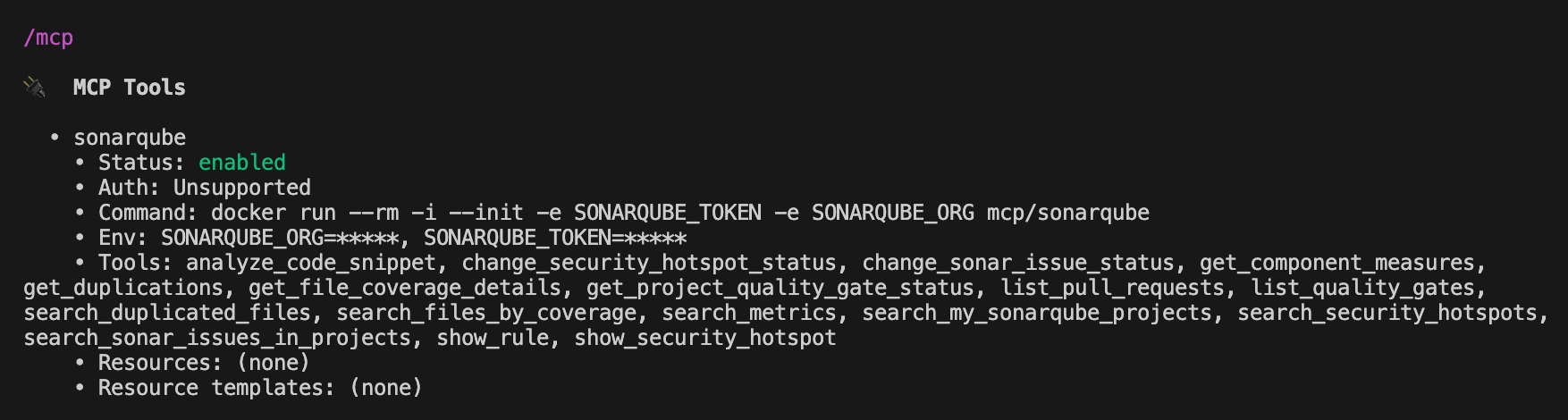
Start Codex and type /mcp to confirm the connection. You should see sonarqube listed with its available tools, including get_project_quality_gate_status, search_sonar_issues_in_projects, show_rule, and get_component_measures.
For full setup instructions (including self-managed SonarQube Server and other agents), see the SonarQube MCP Server documentation.
Generate an app with Codex
With MCP connected, give Codex a real prompt:
Build an Express.js REST API and UI for a multi-user notes app.

Users should be able to register with a username and password,

log in to get a session token, and then create, read, and delete

their own notes. Use SQLite for storage.
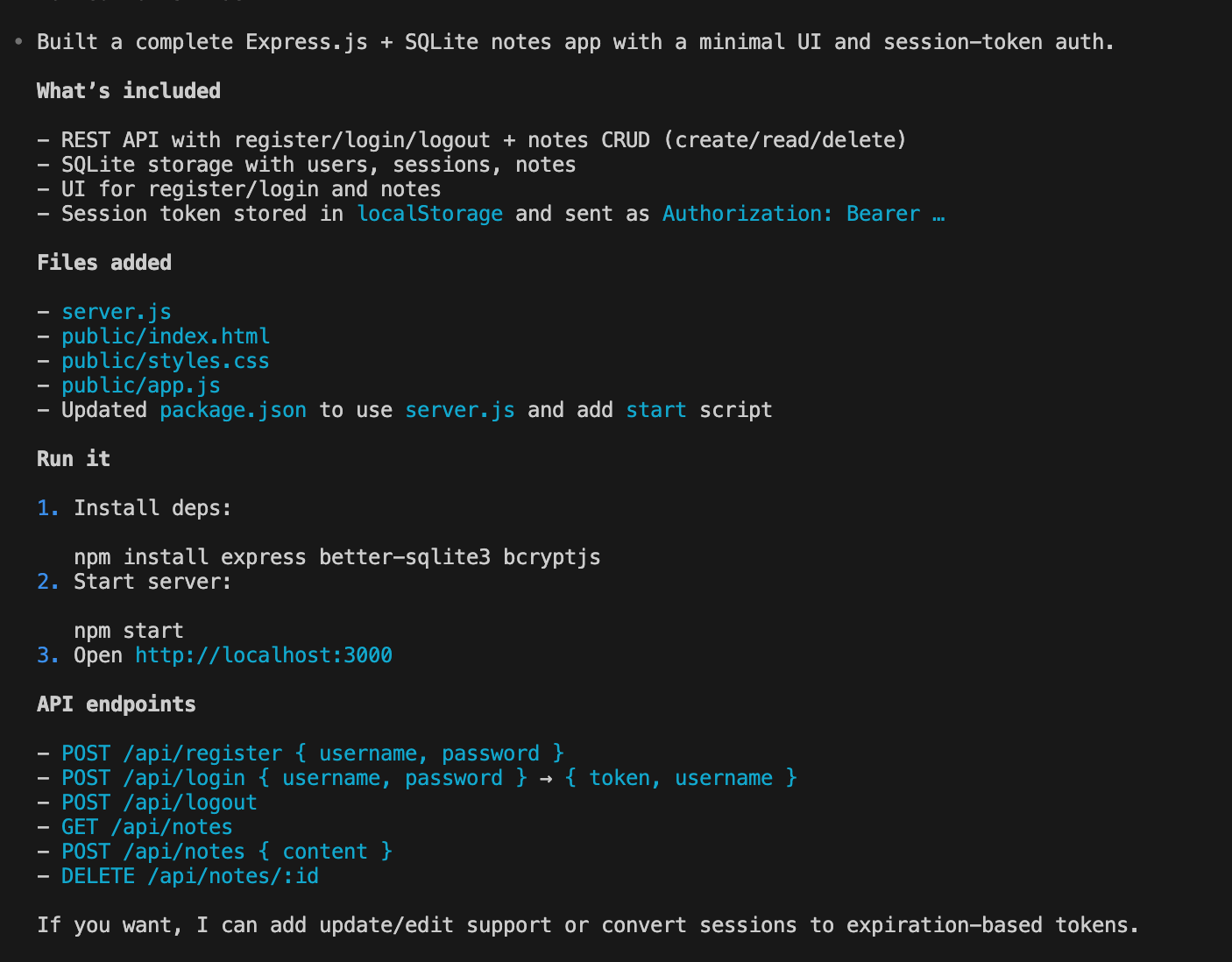
Codex generated four files in about four minutes: server.js (Express API with auth and CRUD), public/index.html (login/register forms and notes UI), public/app.js (frontend JavaScript), and public/styles.css.
The security-critical choices were solid. Codex used bcryptjs for password hashing, crypto.randomBytes(24) for session tokens, and parameterized SQL queries throughout. No SQL injection, no weak PRNG, no hardcoded secrets. The code quality was a different story, however.
Scan and diagnose with MCP
From within the Codex session, run sonar-scanner to send the code to SonarQube Cloud for analysis. Once the scan completes, Codex can pull the results directly through MCP.
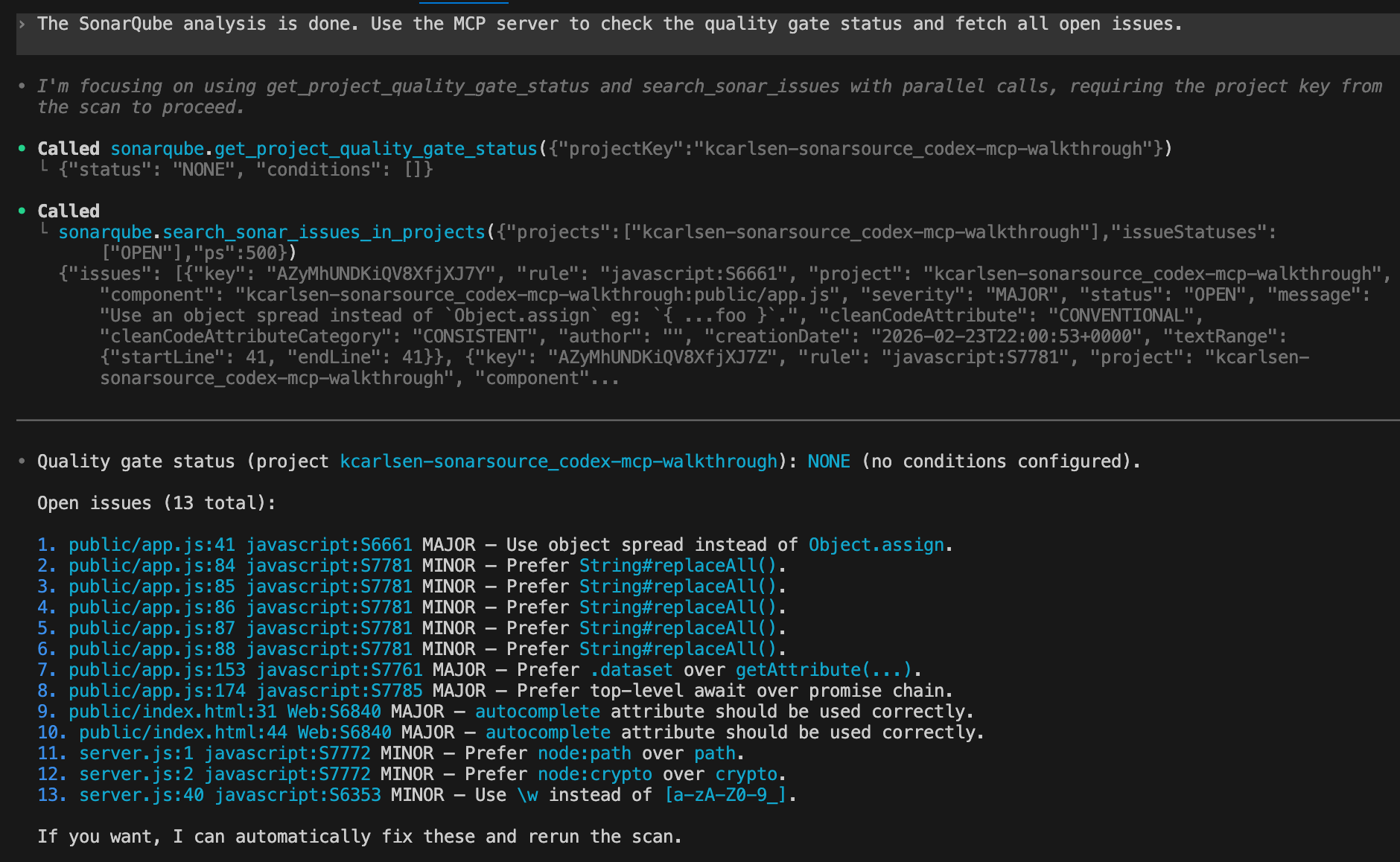
Two calls:
sonarqube.search_sonar_issues_in_projects({

  "projects": ["kcarlsen-sonarsource_codex-mcp-walkthrough"],

  "issueStatuses": ["OPEN"],

  "ps": 500

})

sonarqube.get_project_quality_gate_status({

  "projectKey": "kcarlsen-sonarsource_codex-mcp-walkthrough"

})
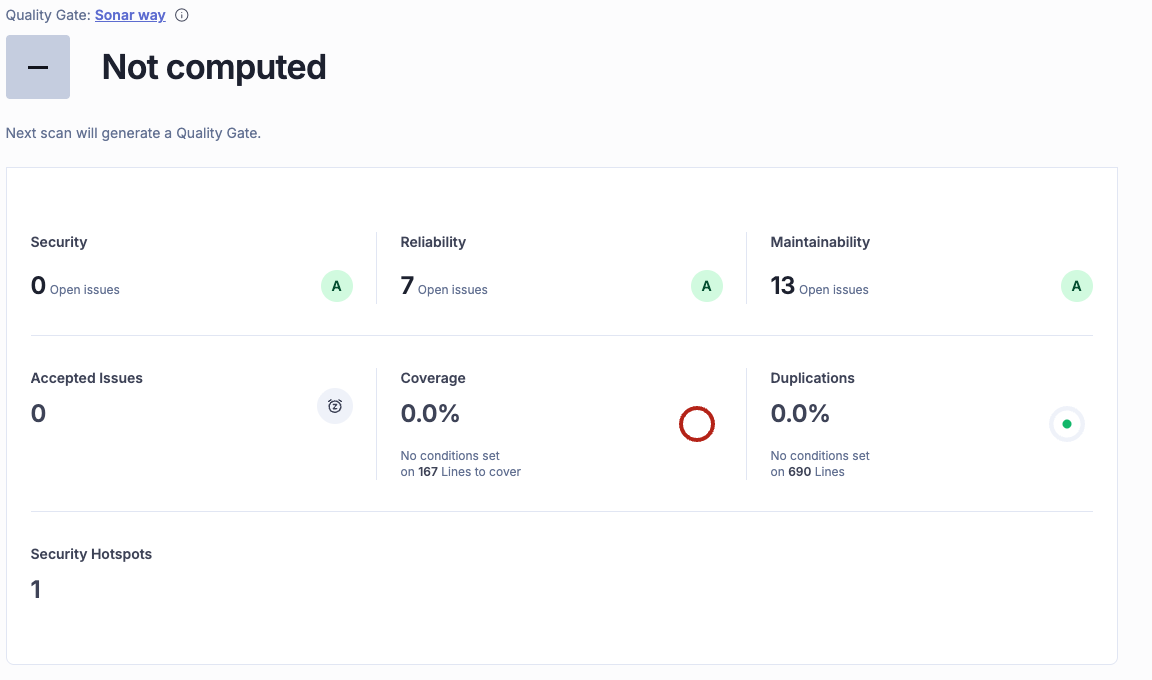
Result: 13 open issues across 7 rules. The quality gate returned NONE (no conditions to evaluate yet). On a new project's first scan, SonarQube Cloud has no prior analysis to define what counts as "new code," so the Sonar way gate's conditions can't fire. The second scan will use this one as the baseline.
Every issue was a code quality finding, not a security vulnerability. Codex got the hard parts right (auth, crypto, SQL safety) and missed the smaller stuff: modern string APIs, the node: import protocol, WCAG-compliant autocomplete attributes. That gap is worth noticing. AI-generated code is sometimes secure but not idiomatic, and SonarQube catches both categories.
Fix issues using rule definitions
Knowing that 13 issues exist isn't enough. Codex needs to understand each rule before it can fix the code correctly. The show_rule MCP tool returns the full rule definition, including why the pattern is problematic, compliant code examples, and non-compliant code examples.
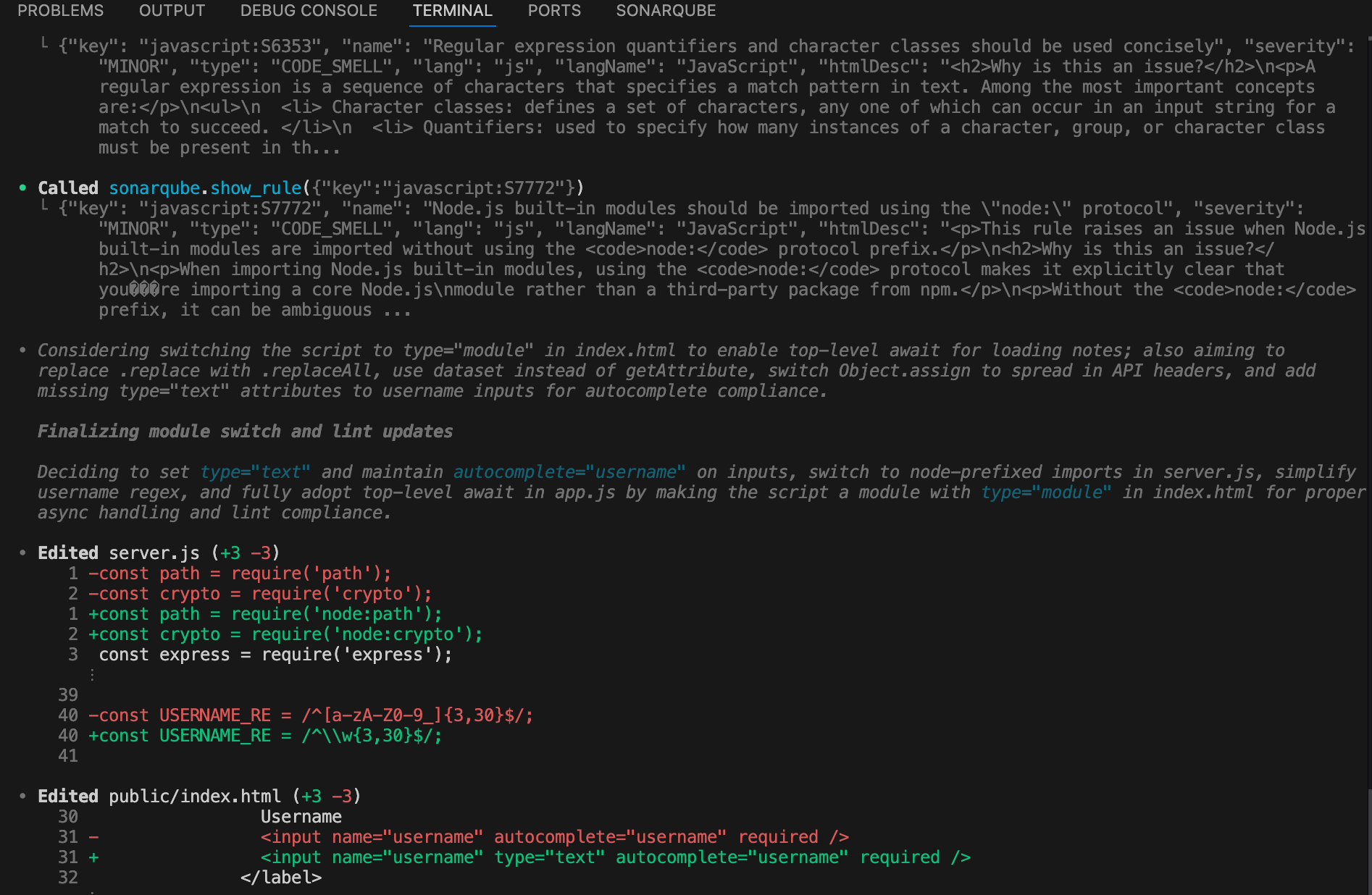
Codex called show_rule for each of the 7 unique rule keys and used the compliant examples as fix templates. Here are three representative fixes from the session.
Node.js built-in imports (javascript:S7772): The show_rule response explains that the node: protocol prevents confusion between built-in modules and npm packages with similar names. Codex applied the fix in server.js:
-const path = require('path');

-const crypto = require('crypto');

+const path = require('node:path');

+const crypto = require('node:crypto');
String replacement (javascript:S7781): The rule explains that replaceAll() is clearer than replace() with a global regex, and avoids bugs from unescaped special characters. Codex updated five calls in public/app.js:
return value
- .replace(/&/g, '&')
- .replace(/</g, '<')
- .replace(/>/g, '>')
- .replace(/"/g, '"')
- .replace(/'/g, ''');
+ .replaceAll('&', '&')
+ .replaceAll('<', '<')
+ .replaceAll('>', '>')
+ .replaceAll('"', '"')
+ .replaceAll("'", ''');Object spread (javascript:S6661): The rule flags Object.assign when spread syntax would be cleaner. Codex replaced the header construction:
-const headers = Object.assign({}, options.headers || {}, {

+const headers = {

+  ...(options.headers || {}),

   'Content-Type': 'application/json',

-});

+};
The remaining four rules followed the same pattern: Codex read the compliant example, matched it to the flagged code, and applied the transformation. Three files changed, seven rules resolved.
Verify the fix
Codex re-ran sonar-scanner, then called MCP to check the result:
sonarqube.get_project_quality_gate_status({

  "projectKey": "kcarlsen-sonarsource_codex-mcp-walkthrough"

}){
"status": "OK",
"conditions": [
{"metricKey": "new_reliability_rating", "status": "OK", "actualValue": "1"},
{"metricKey": "new_security_rating", "status": "OK", "actualValue": "1"},
{"metricKey": "new_maintainability_rating", "status": "OK", "actualValue": "1"},
{"metricKey": "new_coverage", "status": "OK", "actualValue": "0.0"},
{"metricKey": "new_duplicated_lines_density", "status": "OK", "actualValue": "0.0"},
{"metricKey": "new_security_hotspots_reviewed", "status": "OK", "actualValue": "100.0"}
]
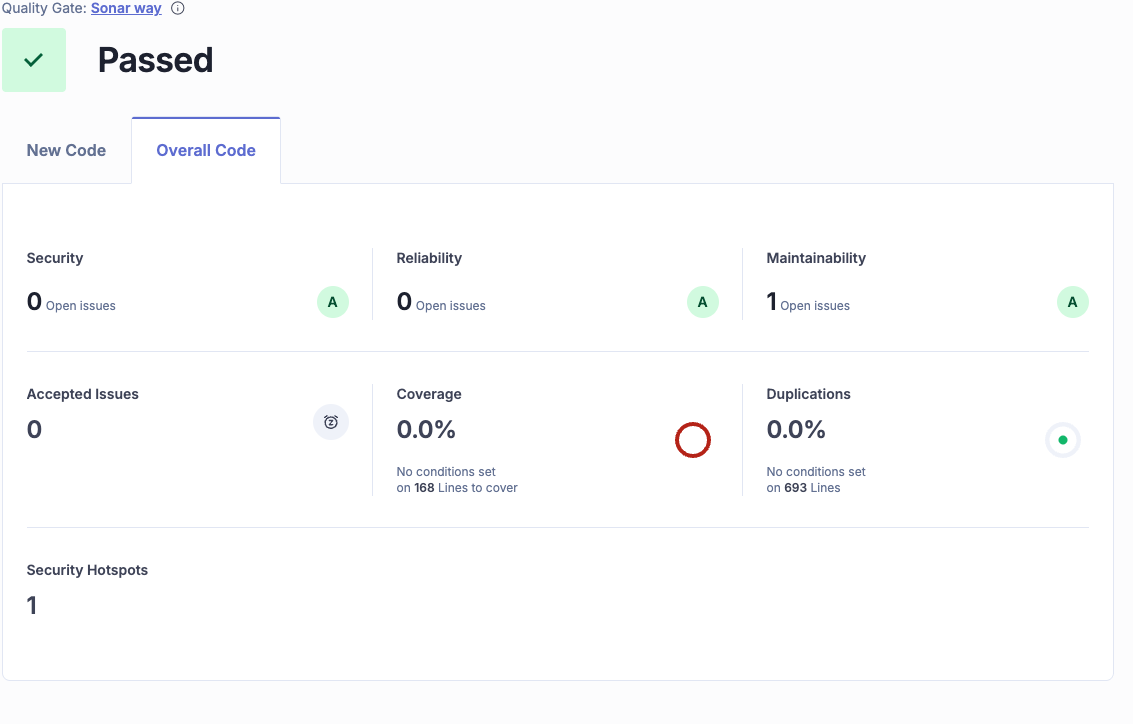
}The quality gate passed, and all conditions were green.
A follow-up search_sonar_issues_in_projects call found one remaining issue. The object spread fix from earlier introduced a new minor finding: javascript:S7744 ("The empty object is useless"). The || {} fallback in ...(options.headers || {}) is unnecessary because the spread operator safely ignores null and undefined in object literals.
One fix introduced one new issue, which isn’t a failure. That's how iterative quality improvement works, whether the developer is a person or an agent. The important thing is that the quality gate still passed.
The full MCP sequence
Across the entire session, Codex made 11 MCP tool calls:
There was no need for browser tabs, and no copy-pasting from the SonarQube UI. The agent read the analysis data, understood the rules, applied the fixes, and confirmed the result, all within one terminal session.
What's next
SonarQube MCP Server is agent-agnostic. The same MCP server that powered this Codex CLI session works with Claude Code, Cursor, Windsurf, and any other MCP-compatible tool. The config syntax varies (TOML for Codex, JSON for Claude Code), but the protocol and the tools are identical.
To go deeper:
- SonarQube MCP Server documentation for setup with other agents and SonarQube Server
- Integrating SonarQube MCP Server with Cursor for the IDE-based workflow
SonarQube Cloud free tier to try this yourself