Start for free

Agentic code assurance

SonarQube MCP Server

Enable your AI agents to use trusted SonarQube analysis to review AI code and maintain high standards within your AI-native IDE.

Deploy for free

TRUSTED BY OVER 7M DEVELOPERS WORLDWIDE

Mercedes Benz
Nvidia
Santander

When agentic workflows meet integration chaos

false positive

Verification bottlenecks

AI speeds up code creation, but it creates a new bottleneck: verification. Time saved writing code is lost to a slow, manual verification process, limiting the ROI of your AI tools.

checklist

Broken workflows

Accessing critical code intelligence requires leaving the conversational workflow. This constant context-switching breaks developer focus and undermines the seamless experience AI is meant to deliver.

integration

Custom integrations

As your teams adopt new AI tools, platform engineers are burdened with building and maintaining a fragile ecosystem of brittle, one-off integrations. This custom work is inefficient, costly, and unscalable.

warning

Hidden risks

When code verification is an afterthought, it's easy for AI-generated code to introduce bugs, vulnerabilities, and technical debt. This creates unacceptable business risk and undermines your quality and security standards.

Connect SonarQube to your AI assistants and IDEs

Google Gemini CLI
Language Icon
Claude Code
Language Icon
Zed
Language Icon
Cursor
Language Icon
Devin & Windsurf
Language Icon
Microsoft Visual Studio
Language Icon
Microsoft VS Code
Language Icon
JetBrains IntelliJ
Language Icon
JetBrains PyCharm
Language Icon
JetBrains CLion
Language Icon
Language Icon
Language Icon
Language Icon
Language Icon
Language Icon

Bridge the gap between AI and quality

The SonarQube MCP Server integrates SonarQube’s static analysis into AI workflows. Our native MCP channel for SonarQube Cloud provides a zero-effort, out-of-the-box way to connect your AI tools to the code intelligence you trust. For SonarQube Server users or local development, a self-managed Docker-based channel is also available.

Deploy for free

Get instant answers

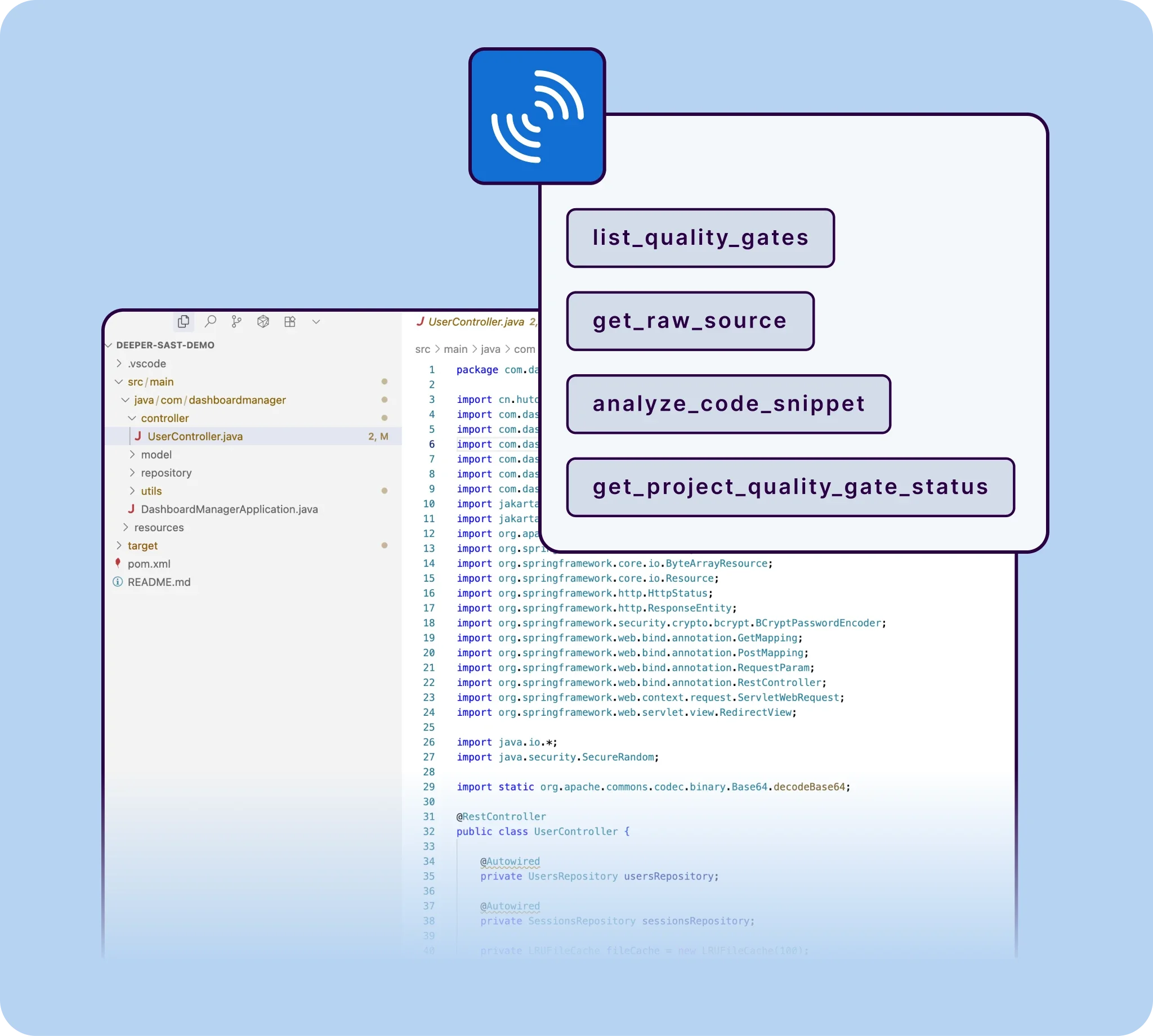
Query your project’s quality gate status, search for dependency risks in your project with SonarQube Advanced Security, or analyze a new code snippet with a simple natural language question.

Stay in your flow

Eliminate the disruptive need to switch between your editor and the SonarQube UI. Maintain focus and boost productivity.

Take action in context

Go beyond analysis. Interactively update an issue's status or mark a false positive directly from your AI assistant, turning insight into action instantly.

Deployment options

Users can now choose between two methods to connect their AI tools to SonarQube:

Image for Local deployment

Local deployment

Running a Docker container on a workstation to bridge the IDE and SonarQube

sonarqube cloud

Cloud native

Using the embedded endpoint in SonarQube Cloud for centralized access without local software installation

How does it work?

Image for Ask in your AI-native IDE

Ask in your AI-native IDE

A developer asks their AI agent a question about code quality or security in plain English. Example query: “Are there any new vulnerabilities in this file?”

Image for Translate & query

Translate & query

The MCP Server translates the request into a precise query for your SonarQube instance (Cloud or Server), identifying the right tool to use, like search_sonar_issues_in_projects.

Image for Get answers in context

Get answers in context

The AI agent receives the data from SonarQube and presents a clear, actionable answer directly within the developer's editor, completing the seamless, real-time conversation.

Key benefits

  • For developers

  • For platform engineers

  • For engineering leaders

  • For security & automation

  • For enterprise teams

For developers

Reclaim your focus

Stop juggling tabs and breaking your flow. Get instant answers from SonarQube about bugs, vulnerabilities, and code smells right within your AI assistant. Analyze any code before you commit and make code quality a seamless part of your workflow.

icon

"Using Amazon Q Developer with the Sonarqube MCP server integration, developers can receive real-time security and code quality feedback directly within their IDE while preserving the immersive 'vibe coding' experience. They maintain productivity and ensure best practices."

Patrick Madec, Sr. Solutions Architect

Build trust into every line of code

The SonarQube MCP channel is available as a native, managed service for SonarQube Cloud or as a source-available Docker container for SonarQube Server. Choose the deployment that fits your environment and start automating quality validation today.

Image for rating

4.6 / 5

Deploy for freeView on GitHub

MCP Server FAQs

The MCP Server is a centralized service that connects code analysis and developer tools so teams can consistently enforce standards, automate checks, and improve code quality across repositories. Teams get a single source of truth for code health, enabling faster remediation, standardized workflows, and reliable gates that improve release confidence.

If you are using SonarQube Cloud, no. You can connect to our managed, native MCP endpoint with zero installation. Docker is only required if you are using SonarQube Server or prefer a local-only development setup.

  • Follow SonarSource on Twitter
  • Follow SonarSource on Linkedin
language switcher
English

© 2026 SonarSource Sàrl. All rights reserved.