
TLDR overview
- SonarQube Hunter Agent is an AI security agent for SonarQube Cloud that finds broken access control, business logic, and authentication and session vulnerabilities that pattern-based SAST cannot detect.
- Hunter Agent fits any SonarQube Cloud project bound to GitHub, GitLab, or Azure DevOps where logic-level security review depends on SAST, manual code review, or periodic pentests.
- Hunter Agent-surfaced findings arrive as ordinary SonarQube issues with a severity, a plain-language explanation, and an exact file and line, so you can triage them in the workflow your team already uses.
- Activation and configuration are simple: install the SonarQube app, allow project admins to run scans, then trigger a scan on demand or configure scans on a schedule.
SonarQube Hunter Agent is an AI security agent for SonarQube that finds broken access control, business logic, and authentication and session vulnerabilities that pattern-based scanning cannot detect. Pattern-based scanning evaluates structure, not intent. It can tell you whether code is shaped like a known vulnerability, but cannot tell you whether that code enforces the rules it was meant to. That is where logic flaws live. Hunter Agent reasons through the whole project to answer those questions, and raises only the findings that it can substantiate. This blueprint covers activating Hunter Agent, running a scan, interpreting the results, acting on the findings, and scheduling recurring scans on a GitHub-bound SonarQube Cloud project.
When to use this
- You maintain a SonarQube project and want coverage for classes your SAST run doesn't reach.
- Your application has authorization logic, multi-tenant data access, or multi-step workflows where the flaws live in the rules rather than the syntax.
- Much of your codebase is written by AI coding agents, and you want a verification layer independent of whatever wrote it.
- Your current coverage for logic flaws is limited to occasional pentesting and engineer review.
What you'll achieve
- Hunter Agent activated and configured, with the SonarQube app installed and project admins permitted to run scans.
- A completed, on-demand scan of your own project, with findings broken out by category and filterable in your issues list.
- A scan schedule pinned to a branch, with an estimated usage summary.
Architecture
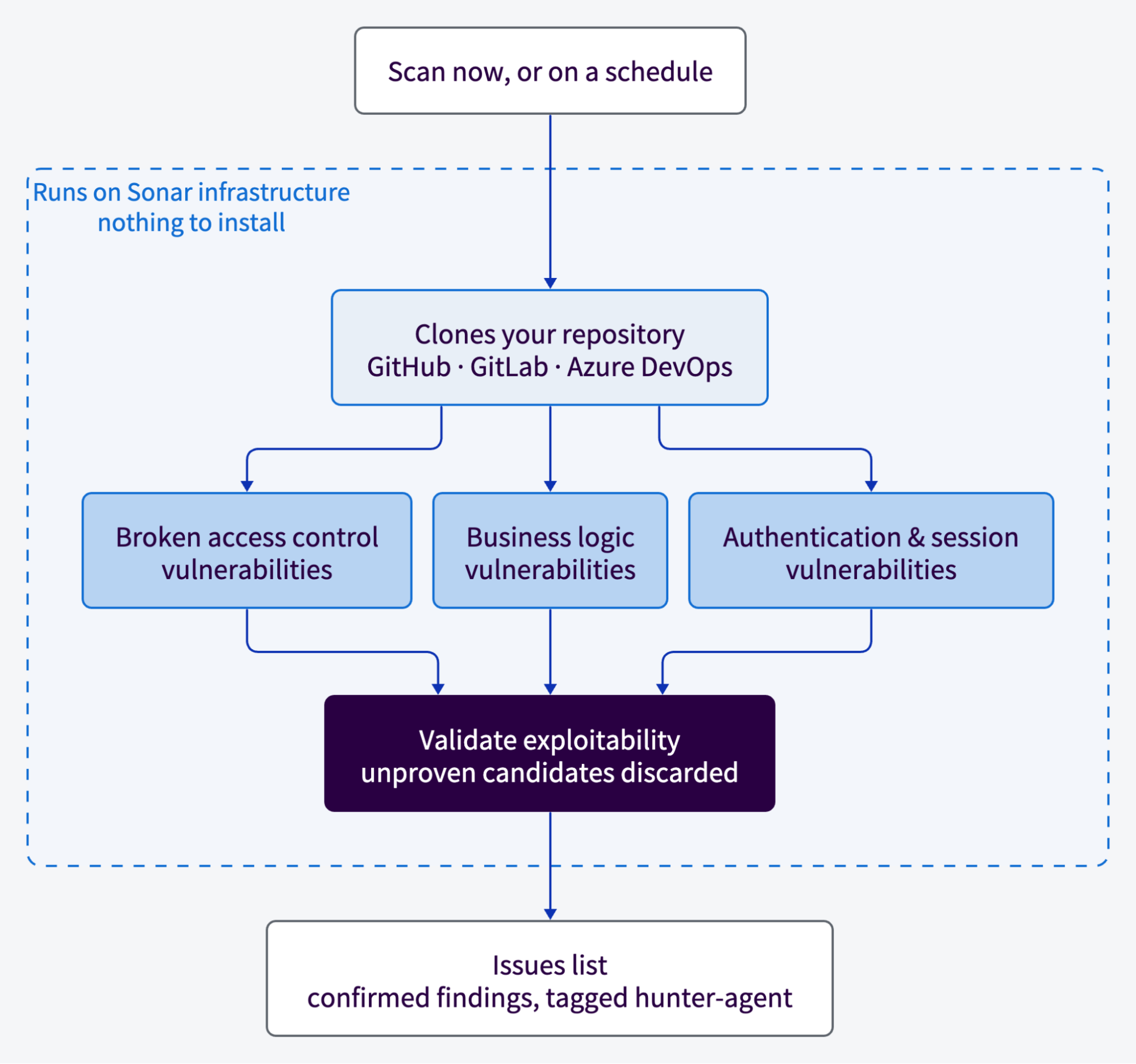
Hunter Agent on SonarQube Cloud runs entirely on Sonar's infrastructure, using Sonar's own LLM tokens. There's no local install, no CI job, and no API key needed to get up and running with Hunter Agent. Activation binds the SonarQube app to your repositories so the agent can clone the branch you ask it to scan.
Behind the scenes, Hunter Agent is built on the same harness that is used by the SWE-bench-leading Sonar Foundation Agent and executes a structured multi-phase pipeline rather than a single prompt. The pipeline segments the repository, runs security playbooks in parallel across three vulnerability categories, hands every candidate to a subagent that tries to demonstrate a feasible attack path, discards what it can't substantiate, then consolidates what survives and pins each finding to a file and line.
Prerequisites
- A SonarQube Cloud project on our Enterprise plan, bound to a repository on a supported DevOps platform (GitHub, GitLab, or Azure DevOps).
- Administer Organization permission and Administer Project permission (on the project you want to scan).
Step 1 — Enable Hunter Agent for your organization
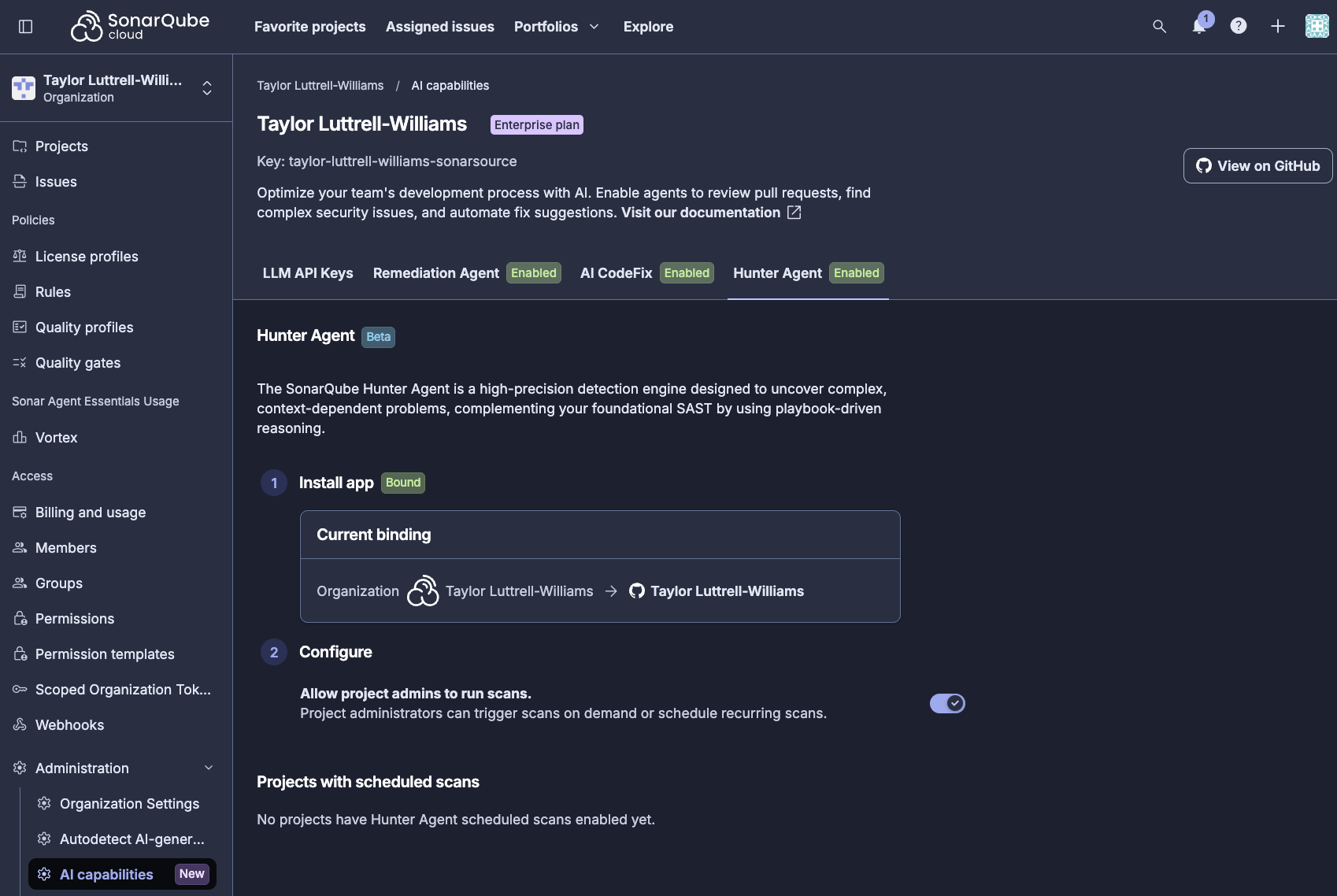
In SonarQube Cloud, open your organization dashboard, select AI capabilities in the left sidebar, and open the Hunter Agent tab. First, ensure that the SonarQube app is installed for the GitHub projects bound to your SonarQube Cloud organization. Second, toggle on Allow project admins to run scans.
Step 2 — Run a manual scan
Open the project you want to scan and select Hunter Agent in the left sidebar, under Analysis. To trigger an on-demand scan, click Scan now.

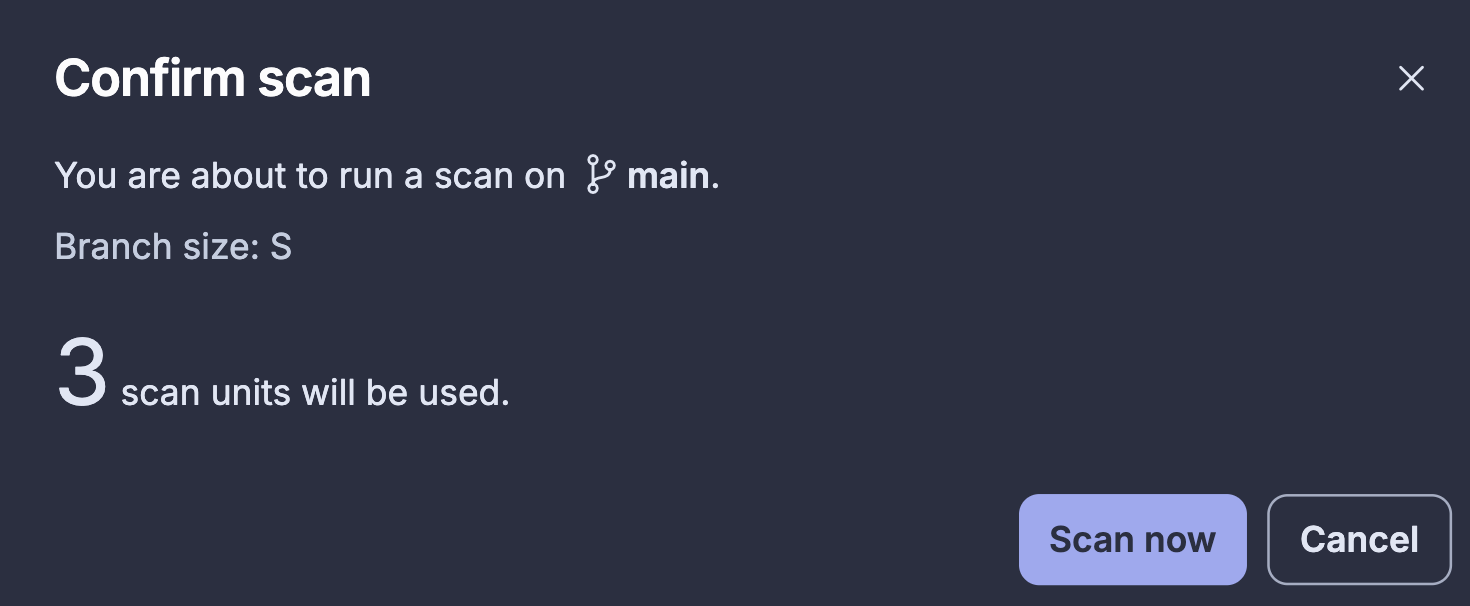
Upon clicking Scan now, SonarQube provides a summary of the scan units that will be consumed. Click Scan now again to confirm and trigger the scan:
Open the Run history tab to follow along with the run. It moves through five stages: Cloning, Exploring, Scanning, Consolidating, and Reporting.
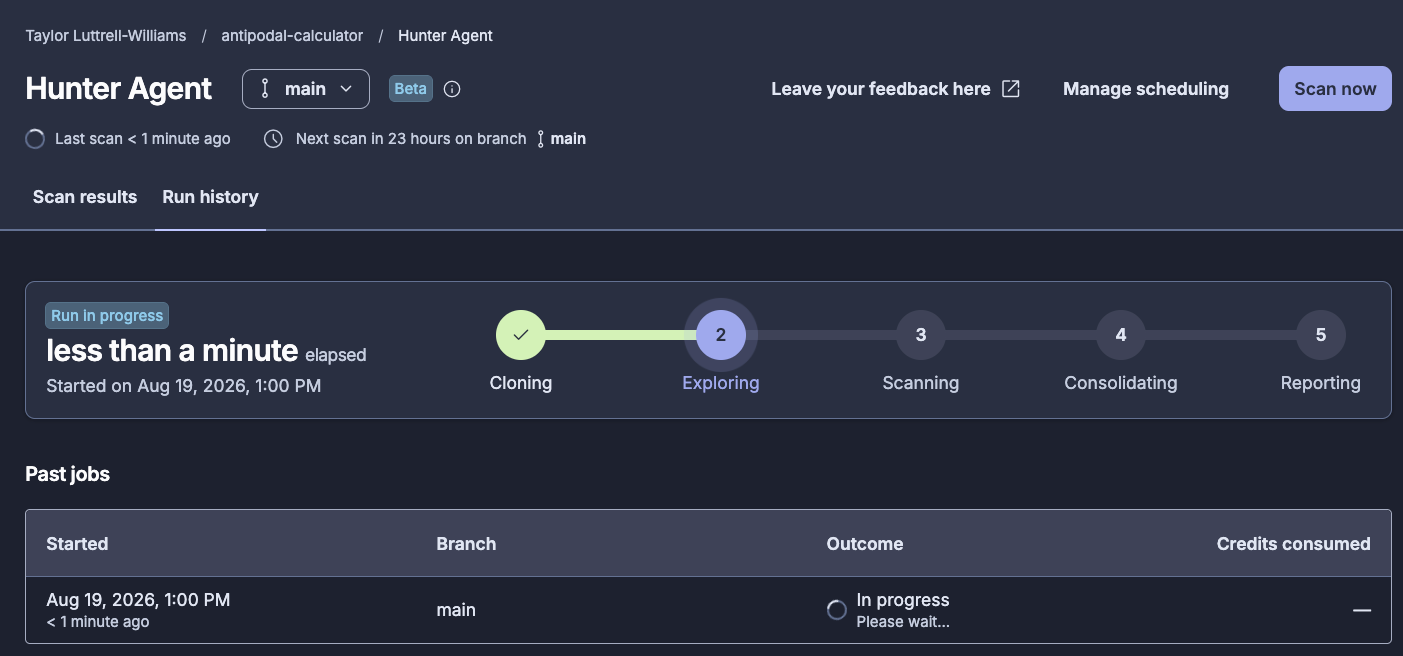
When the run finishes, every stage carries a green checkmark and the tab shows the time started, the time elapsed, and any previous runs.
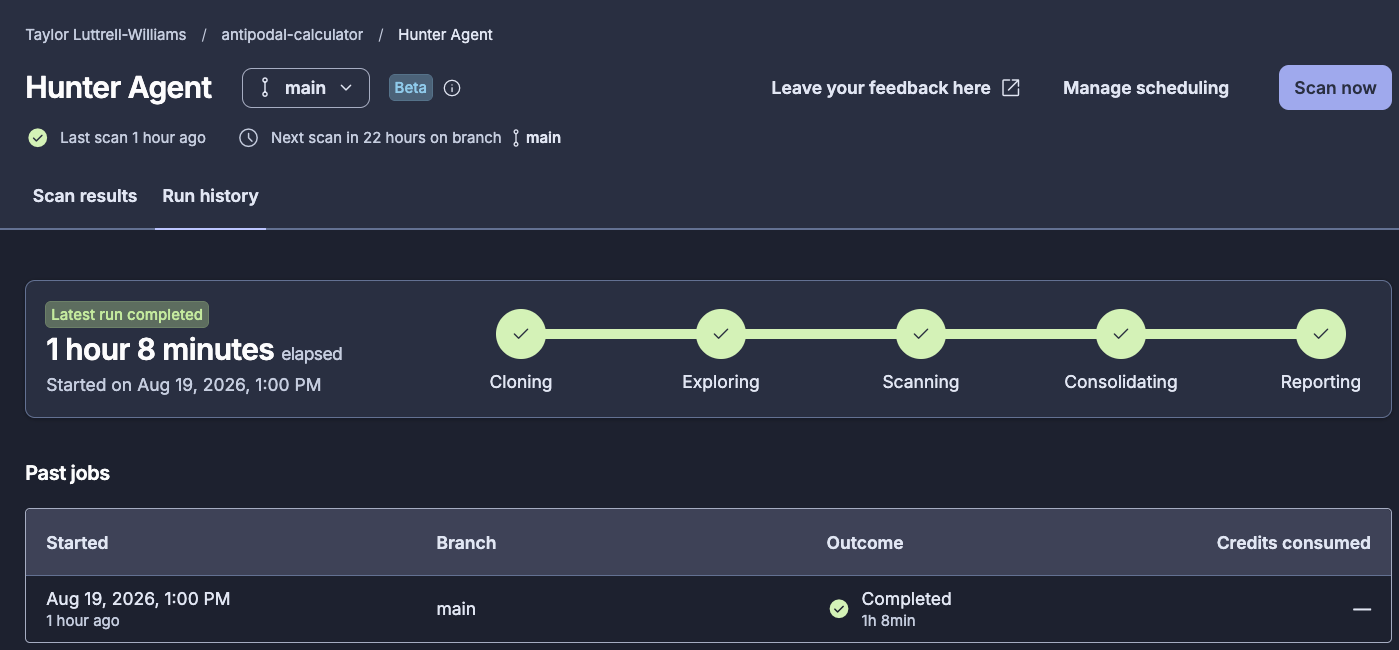
This is a full-codebase reasoning pass, not a per-commit scan, so give it time. The run shown here took one hour on a large project.
Step 3 — Read the scan results
Open the Scan results tab.
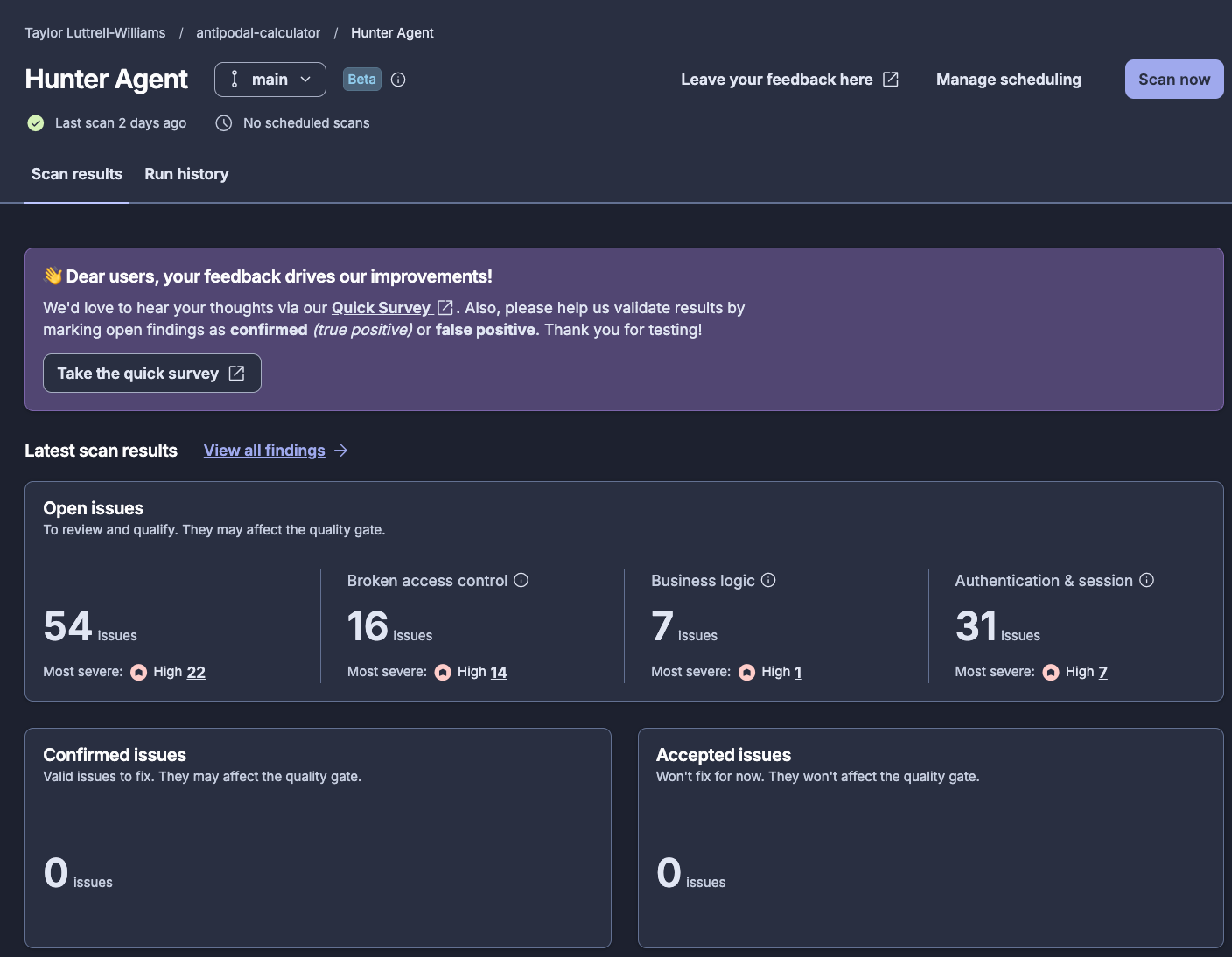
Results are split into three fields. Open issues are findings to review and qualify, and they may affect the quality gate (depending on how the quality gate is configured). Confirmed issues represent valid issues to fix and may also affect the quality gate, while Accepted issues, although valid, are not slated for immediate action and don’t affect the quality gate.
Findings break out across the three categories the agent's playbook covers. The scan shown here returned 54 open issues on one run of one project: 16 broken access control, 7 business logic, and 31 authentication and session.
From here, select View all findings, any Open issues count, or any Most severe count. All three routes open the project's Issues page filtered to Hunter Agent findings. If you'd rather filter directly, the findings carry a hunter-agent tag, plus a per-category tag such as hunter-broken-access-control.
Step 4 — Act on a finding
From the Issues page, sort by Severity to bring the High severity findings to the top and then select an issue.
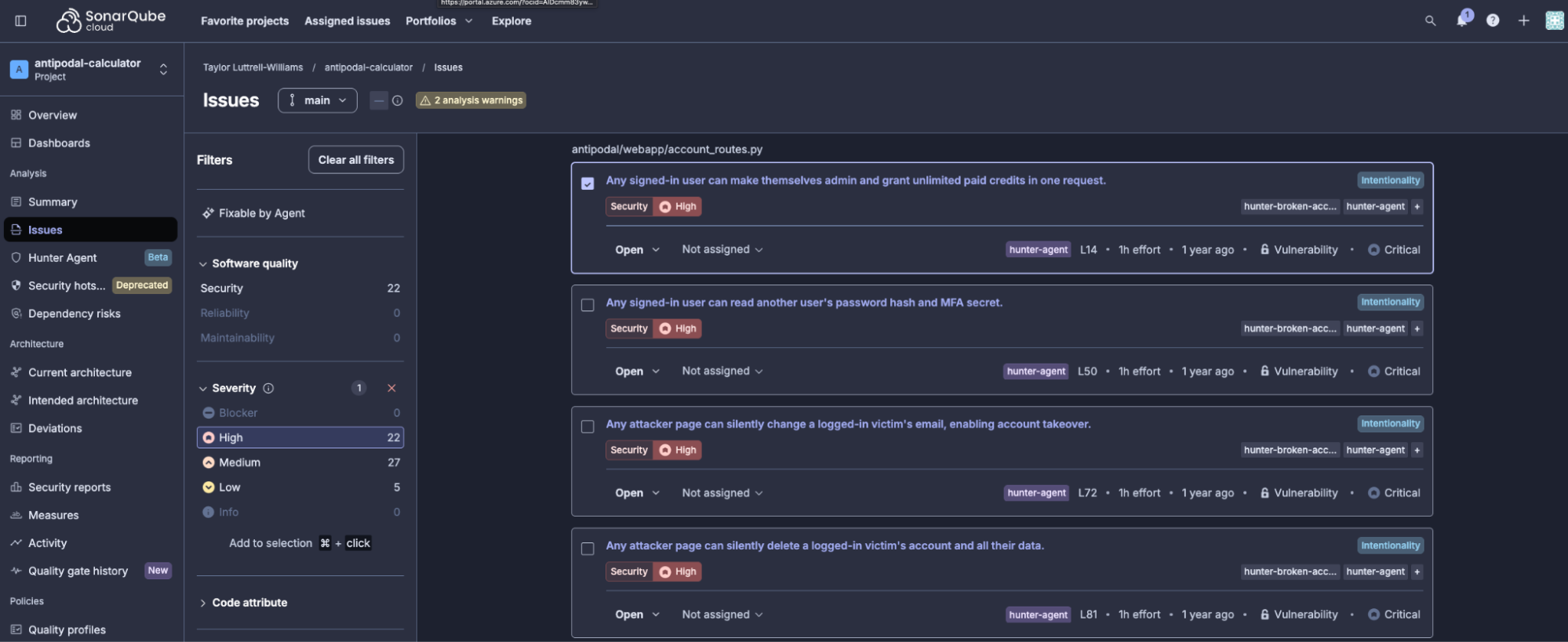
In our demo example, the selected issue reads: "Any signed-in user can make themselves admin and grant unlimited paid credits in one request." It's a privilege escalation in a profile update endpoint.
EDITABLE_PROFILE_FIELDS = ("username", "email")

@account_bp.route("/api/profile", methods=["PATCH"])
@login_required
def update_profile():
    user = store.current_user()
    payload = request.get_json(silent=True) or {}

    for field in payload:
        user[field] = payload[field]

    return jsonify({"profile": user})
The allowlist is declared and never enforced. The loop copies every key in the request body onto the user record, so a PATCH carrying role and credits sets them. Authentication works correctly, and there's no tainted-input-to-dangerous-sink pattern for a scanner to match. The endpoint does exactly what it says, but doesn’t check which fields the caller may change.
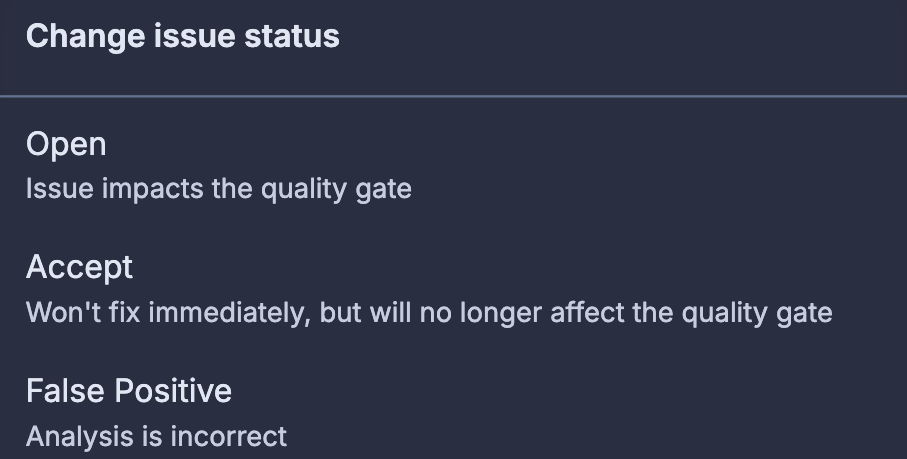
Each finding carries a severity, the exact file and line it points to, and Why is this an issue? and How to fix it? sections. From here, like any other issue, you can fix it yourself or assign to another, and/or update the issue status as appropriate.
Step 5 — Schedule recurring scans
On the project's Hunter Agent page, open the Manage scheduling tab and toggle on Scheduled scans.
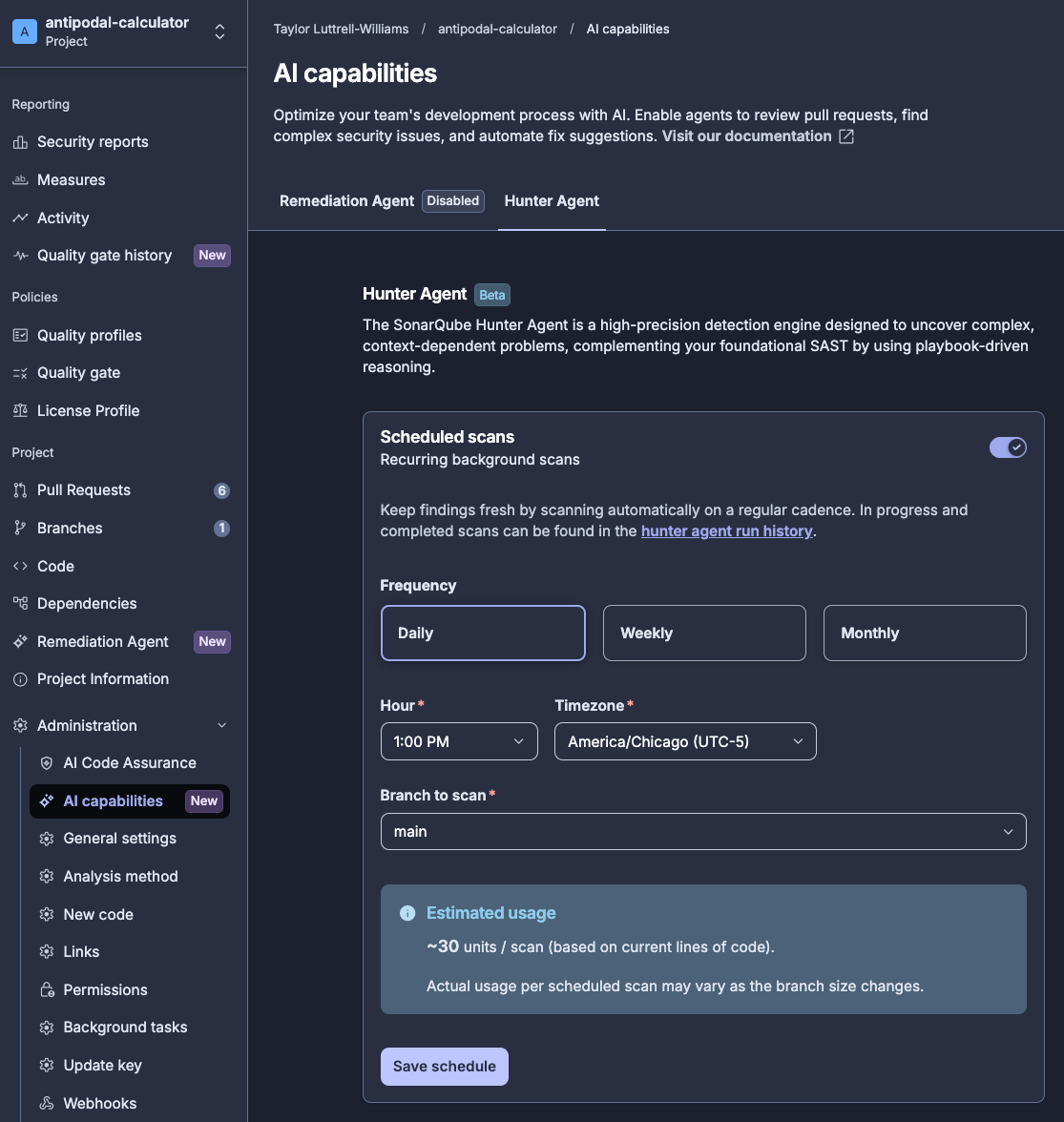
Set the frequency: Daily asks for a time and timezone, Weekly adds a day of the week, and Monthly runs on the last day of the month. Choose the branch to scan, then click Save schedule to enforce your selection.
Check the estimated usage summary before you save. Scans are usage-metered, and actual usage varies as your branch grows. Because this is a whole-codebase pass rather than a per-commit check, weekly or monthly scans against main suit most teams, whereas daily scans make more sense on fast-moving branches that you've already budgeted for.
What to know
- Hunter Agent findings surface as regular SonarQube issues and can affect your quality gate. A first run on
maincan turn a passing gate red, so scan a dedicated branch first, clear the backlog, then schedule againstmain. - Issues are created with a placeholder date, so that they are always counted as part of your overall code, not as new code. Therefore, depending on your quality gate configuration, Hunter Agent-surfaced issues may or may not turn the gate red.
- Hunter Agent runs on Sonar's infrastructure and Sonar's LLM tokens.
- Scans are usage-metered and each one is a full-codebase pass. Check the estimated usage summary before committing to a daily schedule on a large repository.
- Hunter Agent is optimally performant when scanning any SonarQube-supported language (Cloud and Server); performance may be degraded when scanning any non-supported languages.
Next steps
- Consult the official docs for SonarQube Hunter Agent
- Discover the power of SonarQube Hunter Agent inside the code maintenance loop of the Agent Centric Development Cycle