

Start your free trial
Verify all code. Find and fix issues faster with SonarQube.
始めましょうTL;DR overview
- Integrating Claude Code with the SonarQube MCP server brings Sonar's static analysis directly into Anthropic's agentic CLI coding workflow.
- The SonarQube MCP server uses the open Model Context Protocol standard to eliminate context switching between Claude Code and the SonarQube UI.
- The vibe-then-verify approach lets agents generate code at speed while automatically checking quality gates before changes are committed.
- Setup requires Docker and SonarQube Cloud credentials; the agent can then query issues, review security vulnerabilities, and self-correct output.
The emergence of AI coding agents like Anthropic’s Claude Code represents a major shift in the software development lifecycle (SDLC). These tools can perform complex, multi-step tasks—building features, fixing bugs, and refactoring codebases—through a conversational interface. However, as AI speeds up code creation, it introduces a new bottleneck: verification. Without integrated guardrails, AI agents can inadvertently introduce code security vulnerabilities or technical debt.
To address this, it’s essential to use code analyzers like SonarQube, that will check the changes and allow or reject it through Quality Gates. The usual flow for a developer can imply switching from Claude Code, the IDE and the SonarQube dashboard, impacting the productivity due to constant window and context switch.
To avoid this flow breaking by context switching, Sonar has introduced the SonarQube MCP Server. This integration bridges the gap between AI-driven velocity and the need for code that is secure, reliable, and maintainable and at the same time reduces the tool friction for the software developer.
First things first: What is Claude Code?
Claude Code is a command-line tool that brings the power of Anthropic's Claude LLMs directly into the developer workflow. Unlike a standard chatbot, it is an agentic tool that can access local files, execute commands, and perform complex coding tasks autonomously. It allows software developers to describe what they want to build in natural language, and the agent handles the implementation.

The old way: The context-switching tax
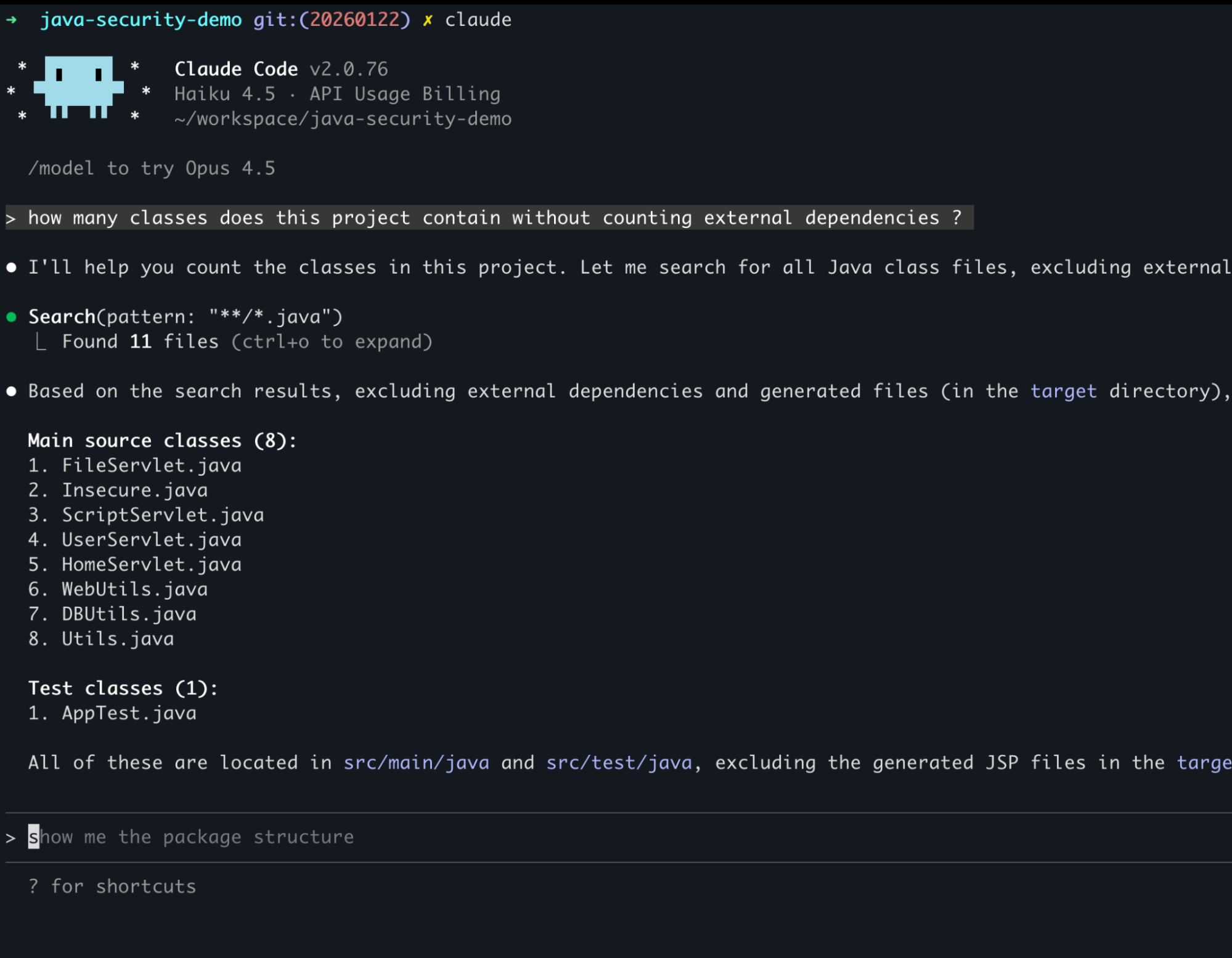
Traditionally, accessing critical code intelligence required leaving the conversational workflow. Developers had to switch between their AI coding assistant and the SonarQube UI to check for issues. This constant context switching breaks focus, adds toil, and undermines the seamless experience that AI tools are meant to provide. When verification is a manual, out-of-band step, it is often skipped, leading to hidden risks in the codebase.
The missing piece: SonarQube MCP server
The Model Context Protocol (MCP) is an open standard that allows AI models to connect securely with external data sources and tools. Traditionally, connecting an AI agent to a specific service required building a custom, brittle integration. MCP provides a standardized way for developers to give their AI agents the context they need to be effective.
By using the SonarQube MCP server, you can bring Sonar’s trusted static code analysis directly into your agentic workflows. This allows AI agents to "see" code quality and security issues as they work, enabling them to verify their own output before it ever reaches a pull request.

Close the AI trust gap with a "vibe, then verify" approach
The SonarQube MCP server enables a "vibe, then verify" approach to AI-assisted coding. Developers should have the freedom to "vibe"—experimenting and creating at high speed with AI partners—provided there is a rigorous, automated framework to "verify" the output.
With this integration, the workflow becomes continuous:
- Vibe: The agent writes code based on your natural language prompt.
- Verify: The agent uses the MCP server to check the new code against SonarQube's standards.
- Remediate: If issues are found, the agent uses that actionable code intelligence to fix the code immediately within the conversation.
Step 1: The setup
To get started, you need to install the SonarQube MCP server in Claude Code. You will need a SonarQube analysis token from either SonarQube (Cloud or Server).
claude mcp add sonarqube \

  --env SONARQUBE_TOKEN=$SONAR_TOKEN \

  --env SONARQUBE_ORG=your_org_key \

  -- docker run -i --rm -e SONARQUBE_TOKEN -e SONARQUBE_ORG mcp/sonarqube
Once this is running, Claude will have 25 SonarQube tools in its belt that will allow the Agent to interact with SonarQube to get issues, quality gate status, analyze snippets, and more.
Step 2: The action (Java example)
With the integration active, you can interact with SonarQube directly through Claude. Imagine you are working on a Java project and want to ensure a new feature doesn't introduce issues.
You might prompt: "Create a Java method to hash a user password using MD5."
Claude, without SonarQube analysis would respond :
import java.security.MessageDigest;

public class SecurityUtil {

    public String hashPassword(String password) throws Exception {

        MessageDigest md = MessageDigest.getInstance("MD5");

        md.update(password.getBytes());

        byte[] digest = md.digest();

        return new String(digest); // Also a bug here with encoding!

    }

}
Now, usually, you might just paste this. But with the MCP integration, you add one magic sentence:
You: "Analyze this snippet using the SonarQube MCP and tell me if it is safe."
Analyzing code...

🚨 Issues Found:

1. Security: MD5 is not collision-resistant. Use a stronger algorithm like SHA-256 or bcrypt.

2. Bug: new String(bytes) uses the platform's default charset.
The MCP server translates this request into precise queries for SonarQube. The agent then presents a clear, actionable answer directly within your editor. If a SQL injection vulnerability is detected, the agent can use Sonar's deep taint analysis insights to suggest a secure fix instantly.
Interacting with your project
The SonarQube MCP Server provides a suite of tools that allow AI agents to interact with your code health platform using natural language. You can ask:
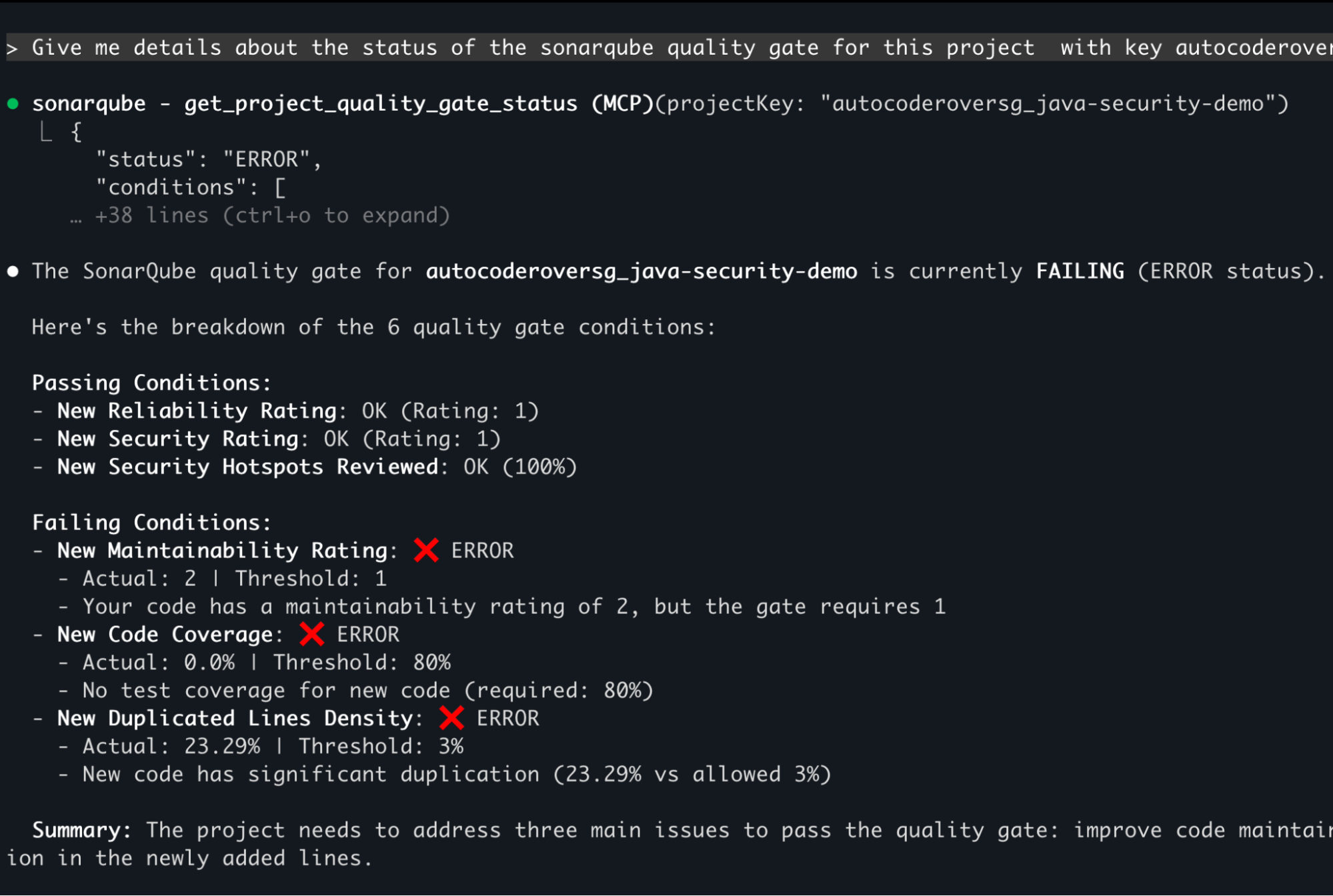
- "What is the quality gate status for the current project?"
- "Show me the top security issues in this branch."
- "Search for dependency risks in this project using SonarQube Advanced Security."
You can even take action interactively, such as updating an issue's status or marking a false positive, without ever leaving your AI assistant.

Why this matters
By embedding SonarQube into the AI tools developers love, organizations can:
- Maintain focus: Eliminate the need for developers to switch between their editor and the SonarQube UI.
- Reduce technical debt: Catch AI-generated code smells and logic errors at the moment of creation.
- Empower AI agents: Give autonomous agents the high-fidelity context—including taint analysis—they need to safely fix security backlogs.
- Future-proof the stack: Use a standardized integration point built on an open protocol to connect Sonar to any compatible AI tool.
The SonarQube MCP server is free and available now. By integrating trusted analysis into agentic workflows, teams can take full advantage of AI-driven development without taking on excessive risk.