

TL;DR overview
- SonarQube Cloud now supports bulk import for GitLab projects, so teams using GitLab can connect a GitLab group and bring multiple projects into SonarQube Cloud in one go instead of setting them up one by one.
- For teams managing large GitLab groups, this makes onboarding much faster and helps extend code quality, security, and reliability coverage across more of the codebase from day one.
- Admins can connect a GitLab group, let SonarQube Cloud discover projects automatically, trigger the import, and review a consolidated summary showing which projects are ready and which need attention before finalizing.
SonarQube Cloud now supports bulk import of GitLab projects. If your team works in GitLab, you can now connect your GitLab group to SonarQube Cloud and import multiple projects at once — selecting exactly which projects you want to analyze, without having to set each one up individually. For software engineering teams managing large GitLab groups, this means complete code quality and security coverage across your entire codebase from day one.
GitLab onboarding made simple
With 1‑click bulk import for GitLab projects, onboarding becomes fast and easy. You can import all projects in a GitLab group and start enforcing your code quality, security, and reliability standards across your organization in a single move — without manual setup for each project.
What bulk import for GitLab does for you
For GitLab admins, team leads, and developers, bulk import turns project onboarding from a one by one task into a batch operation. Here’s what you get out of the box:
- Import your entire catalog in one step – Bulk-import all existing projects within a GitLab group (including subgroups) in a single sweep, instead of configuring them one by one.
- Total visibility from day one – Once triggered, SonarQube Cloud provisions the bound projects so your existing codebases are just as visible, governed, and compliant as your new ones.
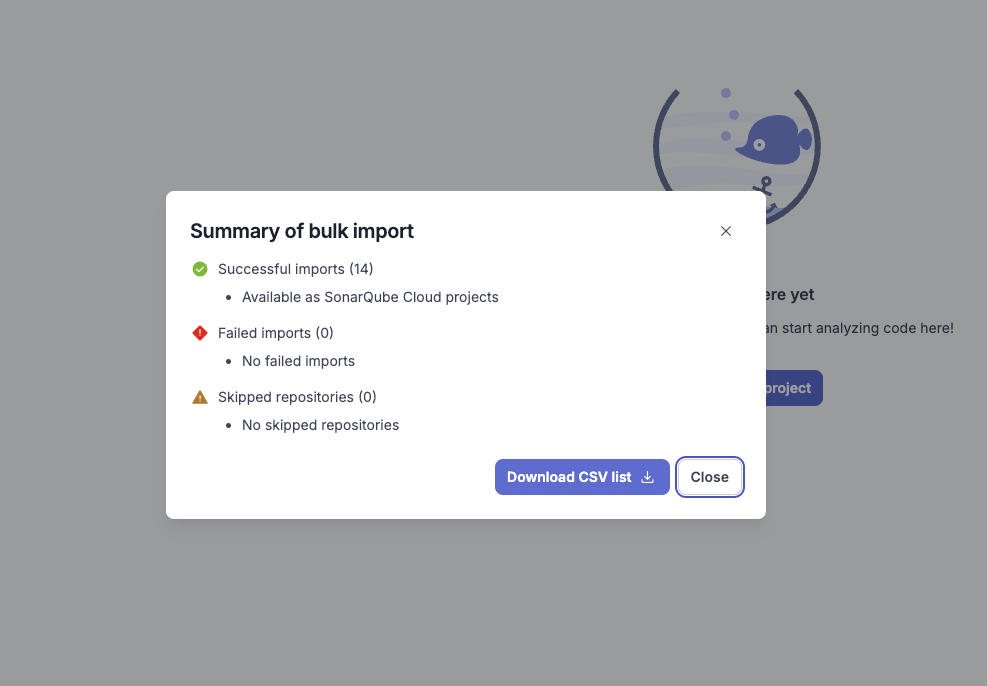
- Review and import insights – A consolidated review page shows you which projects are ready to go and highlights anything that needs attention, so you can selectively trigger imports with confidence when you’re ready.
The result: GitLab administrators can enable coverage at scale, while teams keep working in their usual GitLab workflows.
How it works at a high level
Bulk import is designed to fit naturally into how you already manage GitLab:
- Connect your GitLab group (owner permission required) to SonarQube Cloud using the GitLab DevOps integration for your organization.
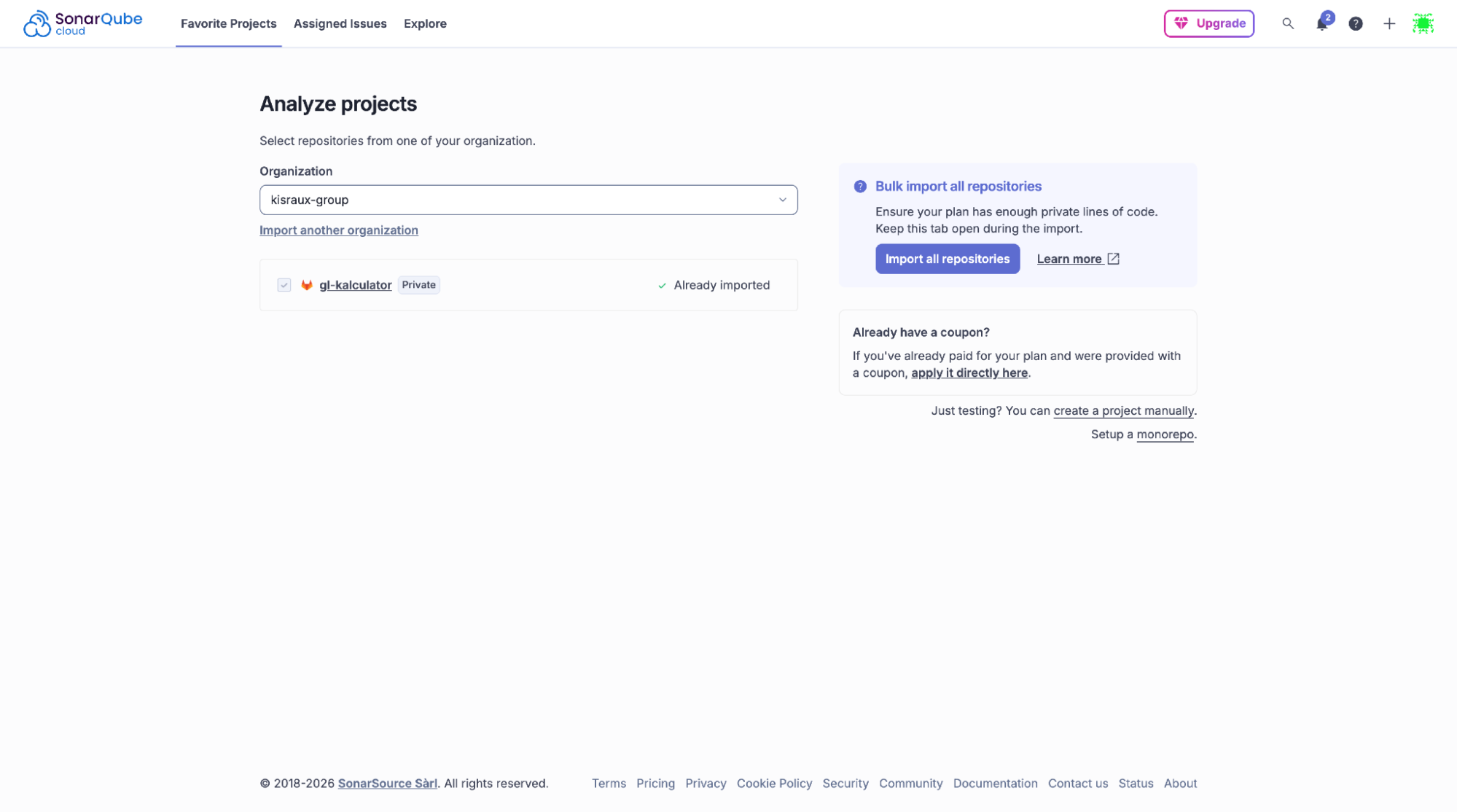
- Choose the GitLab group (and subgroups) you want to import. SonarQube Cloud automatically discovers the projects in that group.
- Trigger the import to provision all eligible projects in SonarQube Cloud and start analysis using your defined quality and security rules.
- Review the bulk import summary, including which projects are ready and which require attention (for example, missing permissions or empty repositories).
From there, as part of your CI pipeline, SonarQube Cloud will deliver results after each build, so teams can fix problems early, and keep code reliable, maintainable, and secure.
For detailed, step-by-step setup instructions, follow the bulk import guide.
Try bulk import for your GitLab group
Get started today and turn GitLab project onboarding from a manual, one-at-a-time process into a batch operation — so your teams can spend time writing code, not configuring analysis projects.
